Tankwar: A Journey Through Game Development and Problem Solving
210 likes | 313 Views
Dive into the world of game development with "Tankwar," a project by Games to Science. This presentation covers the project's journey from planning and idea generation to programming challenges and their solutions. Explore key topics like tank movement mechanics, projectile collision detection, and landscape definition. Gain insights into the immersive process of creating a game, including overcoming technical hurdles and implementing a responsive gaming environment. Play the game, provide feedback, and discover the underlying code driving "Tankwar."


Tankwar: A Journey Through Game Development and Problem Solving
E N D
Presentation Transcript
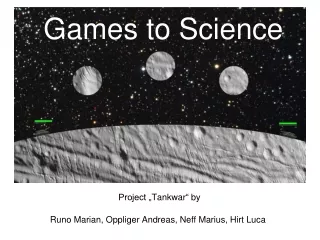
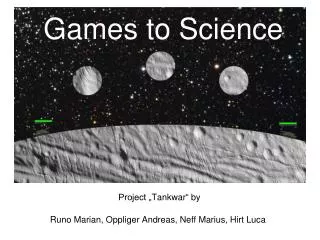
Games to Science Runo Marian, Oppliger Andreas, Neff Marius, Hirt Luca Project „Tankwar“ by
Games to Science - Presentation • Introduction • Planning • Problems • Solving problems (Implementations) • Demonstration • Questions
Planning the project • First steps: • Finding fellows • Finding ideas • Finding an appropriate programming language
Problems during programming • Collisions:
Problems during programming • Variety of projectiles
Problems during programming • Moving tank across level
Problems during programming • Background
Tank movement The Tank.move(int d) function makes the tank move d pixels to the right, if possible. The tank‘s angle is automatically adjusted according to the landscape. Implementation overview follows…
Tank movement: requirements • The tank‘s x position
Tank movement: requirements • Ground level at given x position
Tank movement: requirements • Fixed reference points
Check if new tank angle is legal: Yes move tank to this position, decrease remaining move distance for this turn No do not move tank • …done
Graphic Definition of the landscape in the XML-file <color value="cyan"> <fillRect x="0" y="0" dx="1000" dy="500"/> </color> <color value="green"> <fillRect x="0" y="450" dx="1000" dy="200"/> <fillOval x="100" y="400" dx="500" dy="200"/> <fillOval x="400" y="400" dx="500" dy="200"/> <fillOval x="300" y="220" dx="400" dy="600"/> <fillOval x="250" y="308" dx="100" dy="100"/> <fillOval x="650" y="308" dx="100" dy="100"/> </color> <color value="cyan"> <fillOval x="-47" y="292" dx="200" dy="200"/> <fillOval x="847" y="292" dx="200" dy="200"/> <fillOval x="150" y="208" dx="200" dy="200"/> <fillOval x="650" y="208" dx="200" dy="200"/> </color>
Projectile collision detection • Landscape image mask • Adding tanks • Per pixel check • Explosion initiation
Questions ? http://people.ee.ethz.ch/~runom/tankwar • Play the game • Give feedback • Get the code • Thank you for your interest!