Enhancing Performance Management at Stanford: ePerformance Process Overview
120 likes | 267 Views
Stanford University's Business Affairs presents an overview of the ePerformance process, which includes setting expectations, providing ongoing feedback, and conducting annual evaluations. The process ensures consistency in assessment across all departments while establishing performance history linked to salary increases and promotions. Key enhancements such as auto-save functionality and consolidated comments are implemented to streamline the evaluation process. Resources including job aids, online demos, and training sessions are available to support both managers and employees in navigating the ePerformance system effectively.


Enhancing Performance Management at Stanford: ePerformance Process Overview
E N D
Presentation Transcript
ePerformance Business Affairs
Agenda • Performance Management @ Stanford • Accessing ePerformance • Background • ePerformance Process Overview • Enhancements • Resources Photo: Wikimedia Commons
Performance Management @ Stanford Stanford’s performance management cycle includes: • Establishing expectations • Providing continuing feedback and coaching • An annual performance evaluation
ePerformance Process Overview 1 Expectation Setting Performance Conversations Throughout Year (iterative process) 3 2 Performance Assessment
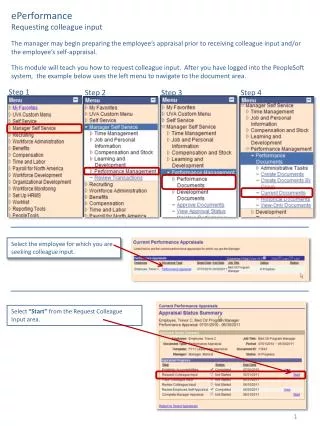
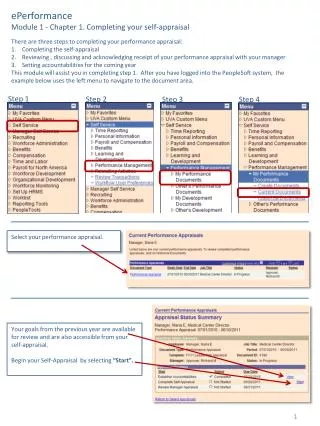
Accessing ePerformance Manager login to Axess to initiate evaluation for employee Employee login to Axess to view/update job responsibilities, goals and competencies, as needed
ePerformance Background Expectation: All Business Affairs employees receive an annual performance evaluation Consistency in forms and rating scales across Business Affairs: To give managers a common understanding of performance measures and rating levels To provide a clear and consistent performance history for each employee across units and when his/her position changes To establish meaningful management information on performance goals and the correlation to salary increases, bonuses and promotions
ePerformance Overview Employees will be reviewed on: • Job Responsibilities • Goals • Competencies
ePerformance Overview Consistent Ratings • Manager completes assessment
ePerformance Enhancements • Auto-Save Function • Documents are automatically saved when users enter evaluation/comments or establish the performance criteria
ePerformance Enhancements • Status Indicators • Meaningful status indicators will be displayed in the “Current Performance Documents” page for both manager and employee.
ePerformance Enhancements • Consolidated Employee and Manager Comments • The Employee’s Comments and Manager’s Comments are consolidated
Resources • Performance Management Resources Website ePerformance job aids for managers/supervisors and employees Online demo/training Competency definitions Business Affairs’ initiatives WebEx demos for employees • WebEx training (Details will be sent out via email): Thursday, April 22, 10am-11am Wednesday, May 5, 10am-11am • Technical Support: By Administrative Systems through HelpSU Request Category: select Administrative Applications Request Type: select ePerformance • Process Support: Al Roa: 725-6650, aroa@stanford.edu