Efficient Strategies for Requesting CA Vision Demonstration Servers
This document outlines essential procedures for requesting CA Vision demonstration servers. Partners can leverage three main options: 1) Request through the local Partner Account Manager for tailored environments with pre-provided sales data and installation instructions. 2) Access the Partner Portal for on-demand demos by completing a Demo Request Form one week in advance. 3) Utilize CA sales demo servers for pre-agreed opportunities with local consultants. CA Vision is available exclusively as a SaaS solution, and each partner can request one demo instance featuring sales demo data.

Efficient Strategies for Requesting CA Vision Demonstration Servers
E N D
Presentation Transcript
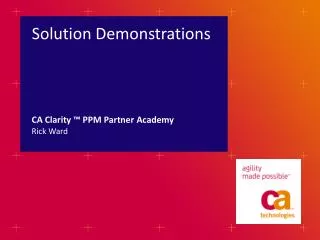
Solution Demonstrations CA Clarity ™ PPM Partner Academy Rick Ward
options *1 CA Vision servers are requested via the local Partner Account Manager. * 2CA Sales servers requested via a local CA TSO consultant for pre-agreed opportunities. Alternatively Product and Agile Vision servers can be booked via the 30-day trial at www.ca.com/agile.
option 1: your environment • Recommended route for demonstrations • CA will provide the Sales data set and installation instructions • Request these through your local Partner Account Manager
option 2: CA Demos on Demand • Access the Partner Portal from https://partnerportal.ca.com • Login with your username and password or register • Complete a Demo Request Form • One week in advance • Book DoD for three days (Demo Policy) • Two days to prepare and get familiar with the demo • One day to demo the product to the customer
option 3: CA Sales demo server • Only for pre-agreed opportunities with local CA TSO consultant assigned. • Request must be made via local Partner Account Manager.
all options: CA Vision • CA Vision is provided as a SaaS-only solution on force.com • One CA Vision demo instance can be made available per partner containing sales demonstration data • Request a server through the local Partner Account Manager