Creating Shapes in Processing: A Guide to Drawing with Code
This guide explores how to draw various shapes in Processing using predefined methods. Learn about the parameters required for shapes like squares, circles, triangles, and quads. Discover how to customize attributes such as size, stroke, fill colors, and background shades. Understand the use of RGB values for color specification and get practical tips on drawing shapes using coordinates. Additionally, learn to create custom shapes with the beginShape() and endShape() methods. Perfect for beginners looking to enhance their creative coding skills.

Creating Shapes in Processing: A Guide to Drawing with Code
E N D
Presentation Transcript
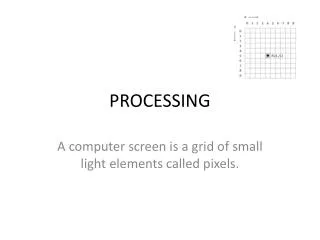
PROCESSING A computer screen is a grid of small light elements called pixels.
Predefined methods to draw shapes. Arguments: Beginning x, y position These predefined shapes require different arguments in the parameter. Arguments: Beginning x, y position Ending x, y position Arguments: 1st x, y position 2nd x, y position 3rd x, y position These are connected to make the triangle
Arguments: Requires 4 x and y positions for each point. The points are connected Arguments: Beginning point x, y and the width & height width + beginning x = ending x Height + y = ending y
Tips to draw other shapes • square, you need to use the rect(int x, int y, int width, int height) and use the same value for the width and height • circle, you can use the ellipse(int x, int y, int width, int height) function with the same value for the width and height. • triangle() function is used with six parameters. These are three x/y coordinates for the three points of the triangle. You should try to draw these points clockwise on the screen to keep things simple. • The quad() is similar to the triangle() function, but uses eight parameters, as a quad has four points.
Attributes of shapes • attributes of shapes are controlled with other code elements. • size(int x, int y); • background(int colorNum); // used to set the background color of the frame • stroke(intnum, intnum, intnum) ; // used to change the color of a line • fill(int num); // used to fill a shape with a shade of gray • fill(int colorNum, int colorNum, int colorNum); // used to fill a shape with a color • noFill(); • noStroke() • strokeWeight(intnum), strokeCap(), strokeJoin() • smooth(), noSmooth(), ellipseMode(), rectMode()
Setting colors • The intensities of each color element are specified with values between 0 and 255 • In Processing, colors are defined by the parameters to the • background(value1, value2, value3) • fill(value1, value2, value3) • fill(value1, value2, value3, alpha) • stroke(value1, value2, value3) • stroke(value1, value2, value3, alpha) Fill is used with shapes that have a width and height. Stroke is used with lines background(242, 204, 47); RGB VALUES FOR COLOR: Color ranges from 0 to 255 background(75, 255, 150); Would produce some color
Ice Cream Cone background(255, 162, 0); fill(0, 255, 255); ellipse(200, 92, 80, 80); // Top scoop fill(242, 0, 255); ellipse(200, 141, 80, 80); // Middle scoop! fill(255, 204, 0); ellipse(200, 187, 80, 80); // Bottom scoop! fill(0, 13, 255); rect(150, 200, 107, 112); // The cup! fill(255, 0, 0); ellipse(200, 46, 20, 20); // The cherry, yum line(200, 27, 200, 36); // And the cherry stem
Drawing with coordinates Different x Same y
Drawing Custom Shapes • Processing has a beginShape() method to draw custom shapes by specifying specific vertex x and y point on the grid. • It will connect the points to draw the shape. End the procedure with endShape();