Bread Boarding and Operating
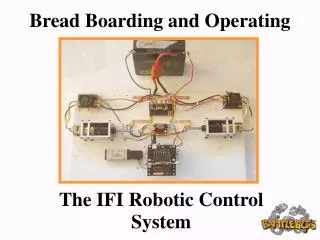
This presentation provides an overview of the IFI Robotic Control System, essential for BattleBots IQ participants. Gain familiarity with the system's components and terminology, allowing you to effectively operate your robot. Learn to set up the control system using default functions and understand both the Operator System, which interfaces with human inputs, and the Robot Control System, which includes vital components like controllers and data modems. This guide equips participants with the skills needed to efficiently manage their robots during competitions.

Bread Boarding and Operating
E N D
Presentation Transcript
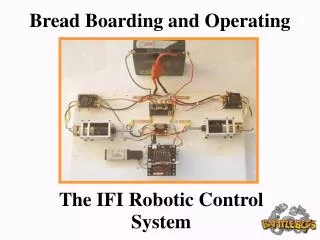
Bread Boarding and Operating The IFI Robotic Control System
This Slide Show will help the BattleBots IQ Participants: Become familiar with the parts and terminology associated with the basic operation of the IFI Robot control system. Set up and operate the IFI Robot Control system using the default control functions.
The IFI Robot Control System The IFI Robot Control System is comprised of two sub systems The Operator System and the Robot Control System. The Operator system This System accepts control inputs from the human operator through joysticks, switches and Potentiometers. The systems also displays input/output data sent to and received from the robot The Robot Control System Includes “Onboard” IFI control components such as the Robot Controller, Data Modem, PC board, Victor Speed Controllers and Spikes.
Operator Interface IFI Robot Control System Data Flow Chart Operator Inputs Operator Interface Processor Joysticks, Buttons, Pots, other 1.) Read Port 1 – 4 2.) Send Data to Radio 3.) Receive data from Radio 4.) Update LED’s and Display 5.) Update Ports 1& 3 Display 6.) Repeat Computer RS –232 Port Dashboard Port 1.) Converts Data to RS-232
The IFI Robot Control System The Operator System Includes: 1.) The Operator Interface 2.) The RS-422 Data Modem 3.) The Power Supply ( 120 Volt /9 Volt Battery) 4.) 1- 4 Joysticks Slides 5, 6, 7 and 8 describe the parts and illustrate the basic set up of the Operator Interface.
The IFI Robot Controller Components The Operator Interface Tether Port Competition Port Wall Transformer Plug RS-422 Radio Port Joystick Port #3 Joystick Port #1 Joystick Port #4 Joystick Port #2 Robot Reset Team ID Number Operator Interface Reset
The CH Products “FlightStick” Joystick Controller Trigger Switch P1_sw_trig Thumb Switch p1_sw_top Thumb Wheel p1_wheel Y-Axis Trim X-Axis Trim X-Y Axis Control Stick Part No# 200-502 Find Information on CH Products Joysticks here: http://www.chproducts.com/index.html
The Ewave RS-422 Data Modem 900 MHz Wireless Data Modem
Two Joystick IFI Operator Interface Setup 120AC/9VDC Wall Transformer Port #1 CH Joystick RS 422 Data Modem Port #2 CH Joystick