Overview of Microsoft Office 2013: Editions, Licensing, and Features
Join David F. Soll, Chief Technology Officer at Omicron Development LLC, as he presents an overview of Microsoft Office 2013, including its editions, licensing options, and system requirements. Discover the modern interface designed for touchscreens, enhanced cloud integration with SkyDrive, and new features like PDF editing and recommended charts. Learn about the transition to a subscription-based licensing model and how Office 2013 continues to evolve for user-friendliness and productivity.

Overview of Microsoft Office 2013: Editions, Licensing, and Features
E N D
Presentation Transcript
Microsoft Office 2013 David F. Soll Chief Technology Officer Omicron Development LLC dsoll@omicron.com
Agenda • Introduction • Editions • Licensing • System Requirements • Office 2013 Overview • Conclusions
Introduction • Presenter: David F. Soll • President and Chief Technology Officer, Omicron Development • Treasurer, PCJS IEEE • Vice Chair, Princeton/Central NJ IEEE Computer Society • Senior Member of the IEEE • Recipient of the IEEE Region 1 Award • Past Chair, Princeton Chapter of the ACM • Senior Member of the ACM • Chair, TCF IT Professional Conference • Over 30 years in computing
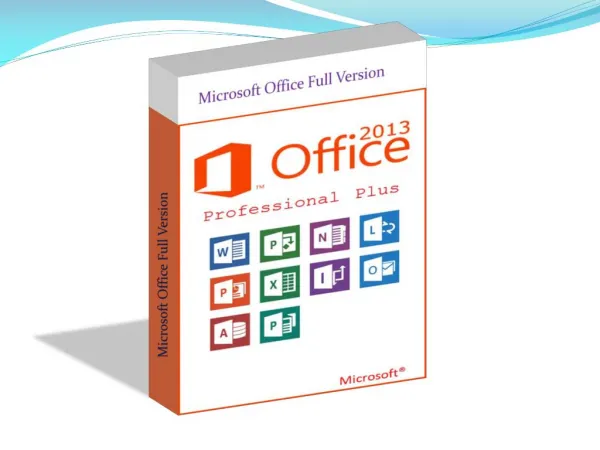
Office 2013 Editions • Office Home and Student 2013 • Office Home and Business 2013 • Office Professional 2013 • Office Professional Plus 2013 • Office 365 Home Premium • Office 365 University • Office 365 Small Business Premium • Office 365 ProPlus • Office 365 Enterprise
What About Windows RT • Office 2013 for Windows RT is only available in Home & Student Edition • The RT edition does NOT support: • Macros • Add-ins • Send-As (i.e.: Attachment) • Mail Merge • Automatic Synchronization with SkyDrive • Equation Editor • ActiveX • Audio and Video OneNote Recording
New to Office 2013 • Modern Interface • Less 3D • Less shading • Simpler look • Flat • Clean
New to Office 2013 (cont’d.) • Start Screens
New to Office 2013 (cont’d.) • SkyDrive Integration • Save account info and default to SkyDrive • SkyDrive Storage • 7 GB storage for free (without buying Office) • Additional 20 GB for $10 per year • Additional 50 GB for $25 per year • Additional 100 GB for $50 per year • Additional 25 GB with Office 365 Home Premium
New to Office 2013 (cont’d.) • Syncing Across Devices • Really just a benefit of saving to SkyDrive or other Cloud location • Doesn’t actually “sync” • If saves to a location available to other devices instead of the local hard drive • There is a module that will synchronize a SkyDrive cache (folder) with SkyDrive
New to Office 2013 (cont’d.) • Touchscreen • Office 2013 has been designed to be used with a touchscreen • When in “Read” mode, swiping moves through pages • Has a “Touch” mode specifically for touchscreens • This means larger “landing” spots (thus eating screen real estate)
New to Office 2013 (cont’d.) • PDF Editing • Can open PDF files directly • Then save as PDF or as DOC or DOCX
New to Office 2013 (cont’d.) • Formatting Task Panes in PowerPoint • Formatting images, shapes, and other objects in PowerPoint is now more intuitive
New to Office 2013 (cont’d.) • Easier Charting • New “Recommended Charts” feature
New to Office 2013 (cont’d.) • More Graphics Options • New icons on the Insert tab of the ribbon • Insert from online sources, including Bing, SkyDrive, and Flickr
New to Office 2013 (cont’d.) • New Account Login capability • Allows you to store credentials for cloud storage
New to Office 2013 (cont’d.) • Outlook now had built-in support for Exchange ActiveSync • It can support Hotmail accounts directly without needing a plugin
New to Office 2013 (cont’d.) • PowerPivot is built into Excel 2013 • PowerPivot is disabled by default and must manually be enabled
Conclusions • The biggest change to the Office suite is the push towards a subscription model of licensing • Office 2013 has improved cloud based access • Office has continued to become easier to use
Microsoft Office 2013 David F. Soll Chief Technology Officer Omicron Development LLC dsoll@omicron.com This presentation is available at: http://home.comcast.net/~soll/