Download
1 / 5
50 likes | 158 Views
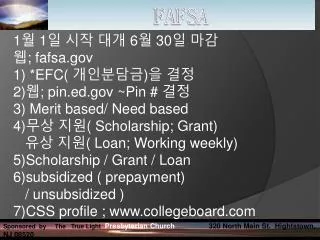
This guide explains how to utilize the IRS Data Transfer Tool when filling out the FAFSA. Begin the FAFSA process at fafsa.ed.gov and navigate to the financial section. If eligible, you'll see the IRS Data Transfer option. If not, you'll need to manually enter your income information. In case you need transcripts for SSU Navigator 'To-Do List', you can download them from the IRS website. Ensure that all address details match exactly with your tax return to avoid transfer rejections.

E N D
Using the FAFSA IRS Data Transfer Please Use Your Space Bar to Advance The Slides
Begin the normal FAFSA process at Fafsa.ed.gov When you get to the FINANCIAL portion of the FAFSA and begin to answer questions about your tax filing status you will (hopefully) see this page*, Click Link to IRS: *If you do not see this button/page, then based on your answers regarding your tax filing status you are not eligible to use the IRS Data Transfer. You will need to manually enter your income information. NOTE: If you are trying to use the IRS Data Transfer to complete your SSU Navigator “To-Do list”, and you are not eligible to use the IRS Data Transfer, you may download your transcripts at: http://www.irs.gov/Individuals/Get-Transcript
Complete the requested as it appears on your tax return: NOTE: The address you enter must match COMPLETELY to that used on your federal tax return or the transfer will be rejected. For example if on your Tax Return your address is written as: 10 Elm Street you cannot write 10 Elm St. The transfer will be rejected
Congratulations, You Have Successfully used the IRS Data Transfer Tool on FAFSA