Enhancing Student Learning with Flipped Classroom and Library Resources
140 likes | 248 Views
Discover how to make learning accessible and rewindable for all students using the flipped classroom model. Students can view lessons at home, allowing class time to focus on hands-on application of knowledge. In the library, students receive on-demand help from librarians and can access instructional videos to familiarize themselves with resources before visiting. Record lessons to create a valuable archive that students can revisit as needed, removing barriers to help and enhancing the educational experience.


Enhancing Student Learning with Flipped Classroom and Library Resources
E N D
Presentation Transcript
Flipped Library Model How do you make your information rewindable and accessible to all students?
What is “Flipped”? • Different meanings in different situations
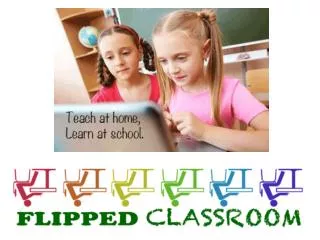
Classroom • Students view a lesson at home • Class time focuses on working with students to apply their learning • Classroom becomes a working area with an expert ready to assist
Library • On-demand help when needed • View instruction before coming to the library • Ex: learn how to access and search databases in a video, and use library time to search and get information with librarian assistance • View book talks or reviews for reading suggestions • Learn how to use the library (great for students who aren’t there for orientation)
Another Way To Think About It: Make Learning Rewindable • Record lessons when being taught • First time? Second time? • Post to accessible location • Include other relevant resources • An archive of all your lessons is now available for all
The Facts Pros Cons None Not one Zippo Nada Can’t think of any (Just do it and have fun!) • You get to learn a new technology (free ones at that!) • Students don’t have to wait to get information • Documentation of the amazing work you do • Remove barriers to students getting help
How To • Equipment • Computer • Camera • Microphone • Software • Lesson or Topic • What can students learn in short chunks of time? • Are you recording a longer lesson for an archive? • Is the video a helpful resource (think infomercial) • What are you goals for the video (do students need it to do something?)
Software Choices – For Purchase • Camtasia • Record, annotate, be super creative • Not a huge learning curve, but you do need a little patience • $$$
Software – Free! ISU
Or Could You… • Use Lync • Record your lesson/screen/questions • Post video to secure site for kids to access • Use a Google Hangout • Record your lesson/screen/questions • Loads to Youtube (can be made private)
Information to Get • Do your students have a way to watch the videos (how? when? consistent access or at school?) • Do your students typically do their homework? (majority rules) • What type of video will help the most (you? kids? lesson? parents? admins? teachers?)
It’s Not About Less Work – But About More Meaningful Work When You Are Face-to-Face
Next Steps • Go Online and Get Support • Join the Flipped Learning Network • Connect with Others Who are Flipping • Twitter is a great PLN • Just Try It • Think of information that you repeat or that students would appreciate accessing at their own pace • Create a video/resource for it, post it, and tell your students about it • Modify and adjust for your net one