
Uploaded by
abiola
4 SLIDES
266 VIEWS
40LIKES
3DS MAX Render
DESCRIPTION
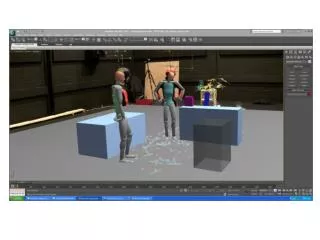
3DS MAX Render. Wireframe. Change From Nvidia Mental ray to Default Scanline. After assigning render go to Renderer. Tick Force Wireframe. Change preferred Wire Thickness. Raise Self-Illumination to create the glossy screen effect.
Download
1 / 4
Download Presentation 
3DS MAX Render
An Image/Link below is provided (as is) to download presentation
Download Policy: Content on the Website is provided to you AS IS for your information and personal use and may not be sold / licensed / shared on other websites without getting consent from its author.
Content is provided to you AS IS for your information and personal use only.
Download presentation by click this link.
While downloading, if for some reason you are not able to download a presentation, the publisher may have deleted the file from their server.
During download, if you can't get a presentation, the file might be deleted by the publisher.
E N D
Presentation Transcript
Wireframe Change From Nvidia Mental ray to Default Scanline
After assigning render go to Renderer Tick Force Wireframe Change preferred Wire Thickness














More Related