Download
1 / 7
0 likes | 0 Views
An easy guide on how to export JSON correctly using proper JSON format. Avoid common errors and keep your JSON clean and valid.

E N D
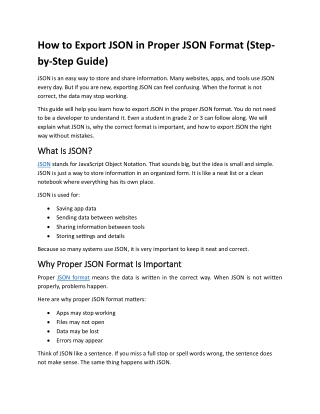
How to Export JSON in Proper JSON Format (Step- by-Step Guide) JSON is an easy way to store and share information. Many websites, apps, and tools use JSON every day. But if you are new, exporting JSON can feel confusing. When the format is not correct, the data may stop working. This guide will help you learn how to export JSON in the proper JSON format. You do not need to be a developer to understand it. Even a student in grade 2 or 3 can follow along. We will explain what JSON is, why the correct format is important, and how to export JSON the right way without mistakes. What Is JSON? What Is JSON? JSON stands for JavaScript Object Notation. That sounds big, but the idea is small and simple. JSON is just a way to store information in an organized form. It is like a neat list or a clean notebook where everything has its own place. JSON is used for: •Saving app data •Sending data between websites •Sharing information between tools •Storing settings and details Because so many systems use JSON, it is very important to keep it neat and correct. Why Proper JSON Format Is Important Why Proper JSON Format Is Important Proper JSON format means the data is written in the correct way. When JSON is not written properly, problems happen. Here are why proper JSON format matters: •Apps may stop working •Files may not open •Data may be lost •Errors may appear Think of JSON like a sentence. If you miss a full stop or spell words wrong, the sentence does not make sense. The same thing happens with JSON.
Using the correct JSON format helps: •Data load correctly •Tools read the file easily •APIs work without issues •Sharing data becomes safe What Does It Mean to Export JSON? What Does It Mean to Export JSON? Exporting JSON means saving or sending data as a JSON file. You may export JSON when: •Downloading data from a website •Saving app data •Sharing information with another tool •Making backups When you export JSON, the goal is simple: The file should open, read, and work without errors. Common Problems When Exporting JSON Common Problems When Exporting JSON Many people run into problems when exporting JSON. Most of these issues happen because the JSON format is not correct. Some common JSON export mistakes include: •Missing brackets •Extra commas •Incorrect structure •Broken or incomplete text •Data that is not clearly organized Even small mistakes like these can make the entire JSON file invalid. That is why learning how to export JSON the right way is very important. What Is a Proper JSON Format? What Is a Proper JSON Format? Proper JSON format means the data follows basic rules. A well-formatted JSON file is: •Clean
•Easy to read •Organized •Error-free Proper JSON format helps both humans and machines understand the data. When JSON is written properly: •Data loads faster •Debugging becomes easy •Tools can read it correctly Steps to Export JSON in Proper JSON Format Steps to Export JSON in Proper JSON Format Let us now look at the simple steps to export JSON the right way. Step 1: Keep the Data Clean Before exporting JSON, make sure the data is clean. •Remove unwanted text •Fix spelling mistakes •Make sure all information belongs where it should Clean data means fewer errors later. Step 2: Follow a Clear Structure JSON data should follow a clear structure. Everything should be placed in the right order. A clear structure: •Makes data easy to read •Helps tools understand it •Prevents confusion Think of it like arranging books on a shelf. When books are placed properly, you can find them easily. Step 3: Use Proper Formatting Formatting means making JSON look neat. Good formatting includes: •Proper spacing •Clear alignment
•Easy-to-read layout Formatted JSON is easier to check and fix if something goes wrong. Step 4: Validate the JSON Before Exporting Validation means checking if the JSON format is correct. Before exporting: •Check for missing parts •Look for errors •Make sure the structure is complete Valid JSON means it will work everywhere. Step 5: Export the JSON File Once everything looks clean and correct, export the JSON file. When exporting: •Save it with the correct name •Make sure nothing is cut or missing •Keep the original data safe Now your JSON file is ready to use. How to Export JSON Without Errors To export JSON without errors, keep these tips in mind: •Always check the format •Keep the data simple and clear •Avoid making changes you do not need •Check the JSON before saving Small checks like these can help you avoid big problems later. Best Practices for JSON Export Best Practices for JSON Export Here are some best practices to follow every time: •Keep JSON files small and clean •Use clear names for data •Avoid copying messy content •Review the file after export
Good habits make JSON easier to manage. How to Fix Invalid JSON Format How to Fix Invalid JSON Format Sometimes JSON is already broken. Do not worry. It can be fixed. You can fix invalid JSON by: •Checking structure •Removing extra symbols •Correcting misplaced data •Formatting the file again After fixing, always validate the JSON again. Why Tools Help Why Tools Help w with JSON Export ith JSON Export Online JSON tools make exporting easy. They help you: •Format JSON •Validate JSON •View data clearly •Find errors quickly Using tools saves time and reduces mistakes. JSON Export for Beginners JSON Export for Beginners If you are new to JSON, start slow. Remember: •JSON is just organized data •Proper format keeps data safe •Exporting correctly avoids errors With practice, JSON will feel easy. Final Thoughts Final Thoughts Learning how to export JSON in the proper JSON format is an important skill. It helps keep your data safe, clean, and easy to use. Always remember:
•Keep JSON neat and organized •Follow the correct structure •Check the JSON before exporting When JSON is done the right way, everything works better. If you follow the steps in this guide, you can export JSON correctly every time without stress or confusion. Simple steps. Clean data. Proper JSON format. Frequently Asked Questions (FAQ) Frequently Asked Questions (FAQ) 1. What is JSON used for? JSON is used to store and share data between apps, websites, and tools in a simple way. 2. What does it mean to export JSON? Exporting JSON means saving or sending data as a JSON file so it can be used somewhere else. 3. Why is proper JSON format important? Proper JSON format helps data work correctly and prevents errors when opening or sharing files. 4. What happens if JSON format is wrong? If the format is wrong, the file may not open, apps may fail, or data may be lost. 5. How can I export JSON correctly? You can export JSON correctly by keeping the data clean, well-structured, and checking it before saving. 6. What is invalid JSON? Invalid JSON means the data is not written in the correct structure and contains mistakes. 7. Can beginners learn JSON easily? Yes, JSON is simple to learn because it is just organized data written in a clear way. 8. Should I check JSON before exporting? Yes, checking JSON before exporting helps find errors early and saves time. 9. Can online tools help with JSON export? Yes, online JSON tools help format, validate, and fix JSON easily. 10. Is JSON safe to use? Yes, JSON is safe to use when it is properly formatted and handled carefully.











![[PDF READ ONLINE] CPC Exam Study Guide: The Step-by-Step Approach to Mastering the Exam and](https://cdn7.slideserve.com/12540233/slide1-dt.jpg)
