Download
1 / 30
300 likes | 452 Views
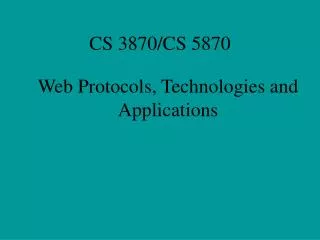
This course, CS 3870/CS 5870, led by Dr. Qi Yang, dives into the foundational aspects of web protocols and applications. Students will engage in hands-on labs and tests, earning points through practical applications in networking, the Internet's infrastructure, and web technologies. Topics include TCP/IP, HTTP, HTML, and the development of web applications. Graduating seniors may waive the final exam under certain conditions. For academic support, students can visit Dr. Yang's office at Ullrich Hall or refer to the course syllabus available online.

E N D
Web Protocols, Technologies and Applications CS 3870/CS 5870
Instructor • Dr. Qi Yang (call me “Qi”) • Office: Ullrich 213 • Home page http://www.uwplatt.edu/~yangq
Course Work • 10 Labs: 200 points • 4 Tests : 200 points • Bonus points possible
Tests • All Hands-on • Final Exam: Test 4 • Graduating Senior: Waiving final? GS can waive final exam (Test4) If their grade percentage is at 82% or above on Thursday, Dec 11 so their course grade will be at least B- (79% + 3%).
What is a Computer? Network CPU Output Input MEMORY Storage
Local Network at UWP • File Server: J:\, S:\, O:\ • Apps • Rights • … Ull 111 Res Hall Ull 213 Bears Den . . . Lab 206
The Internet Townsville Australia UW SWUN UWP Darmstadt Germany . . . . . . . . . .
The Internet • A “network of networks” • Origins: • Kleinrock (1960s): click here • ARPANET (1969): click here • Domain name system (DNS) • Maps numeric “IP” addresses to “domain” names • 1982: HOSTS.TXT • Now: distributed, hierarchical database • Core protocols: TCP/IP
TCP/IP Transmission Control Protocol / Internet Protocol Turing Award 2004 http://en.wikipedia.org/wiki/Turing_Award
Internet Applications • Email: Simple Mail Transfer Protocol (SMTP) Post Office Protocol (POP) Internet Messaging Access Protocol (IMAP) • Telnet: remote terminal • FTP: File Transfer Protocol • Gopher ... • ...
Internet Applications • Console Applications • GUI Applications
World Wide Web (WWW) • GUI Internet Application • Information Super High Way • Business • Household • HTTP: Hyper Text Transfer Protocol • HTML: Hypertext Makeup Language • W3C - World Wide Web Consortium
Application Protocols • HTTP • HTTPS • SMTP • POP • IMAP • FTP • SOAP • … All are based on TCP/IP
A Brief History of the WWW CERN 1989 (Geneva European Laboratory for Particle Physics) Initial Proposal A common and consistent user interface Incorporation of a wide range of technologies and document types A “universal readership” 1990: first line browser 1992: a few browsers and 50 web sites 1993: Mosaic browser for X Windows at NCSA (UIUC), 500 web sites Since 1994: more browsers, web sites, web servers, search engines Click here
WWW Basics • Web sites: Web content providers • Web browsers • Hypertext Transfer Protocol (HTTP) • Hypertext Markup Language (HTML) • Uniform Resource Locator (URL) • Web navigation and search tools • Gateways to non-Web resources • XML (eXtended Markup Language) • XHTML (Extensible HyperText Markup Language) • …
What makes up a website? Three main components to every website: • Web server (always-on program listening for requests from web browsers) • Web objects (text and binary documents) • Web browser • Not really part of a website—or is it? • If a tree falls in a forest but nobody is around to hear it, does it make a sound?
Web browsers • GUI, Client-Server application • Request content from web servers • Download and display content to user • First GUI browser • What browser do YOU use? • URL: Uniform/Universal Resource Locator
URL • Format protocol://host:port/path • Protocol http, https, ftp, telnet, etc. • Host IP address or name of server (DNS) • Port default: 80 • Path Where to find the desired web object
HTTP • Application-level protocol • For collaborative, distributed, hypermedia information systems • Client-Server • LOTC Locate Open Transfer (request/response) Close
HTTP • Connection • Request URI Method GET, HEAD, POST, PUT, DELETE Example: GET /index.html HTTP/1.1\r\n • Server Response: 200, 403, 404, etc. • Close
HTML • Display data in browser using tags • HTML History • Patent
HTML • If you don’t know HTML, don’t worry • View page source • You must teach yourself HTML • Basic HTML elements
Non-Web Resources • Legacy systems • Databases
Advanced Web Technologies • CGI (Common Gateway Interface) • PHP • Java Applets • ASP.NET • …
WWW and Windows Programs • Windows Program Variables to keep track of state • WWW and HTTP Stateless “Universal Readership” • Web Applications How to keep state information?
Lab 1 Due 5:00 PM, Monday, September 8
Open Your Web Site on Xray • Start VS 2012 • Open Web Site • Remote Site • https://xray.ion.uwplatt.edu/UserName • Login using your UWP UserName and Password • Do not try New Project or New Web Site!
Creating Folder • Solution Explore • Right Click on Web Site • New Folder • Lab1
Creating HTML Pages • Right click on Lab1 • Add • HTML Page • Different Views • Design • Source: HTML code • Split