Validating User Input with Regular Expressions in PHP and JavaScript
Regular expressions (regex) provide a powerful way to validate user input against specific patterns, like phone numbers or names. For instance, in PHP, you can use the `preg_match()` function to check if input follows a particular format. In JavaScript, you can create a regex pattern to ensure that users enter valid first and last names. By understanding regex patterns, such as `^[a-zA-Z]+$`, you can ensure that data not only contains letters but also starts and ends with them. Explore regex libraries for predefined patterns to simplify your validations.

Validating User Input with Regular Expressions in PHP and JavaScript
E N D
Presentation Transcript
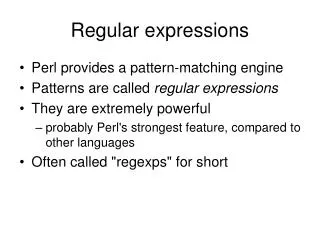
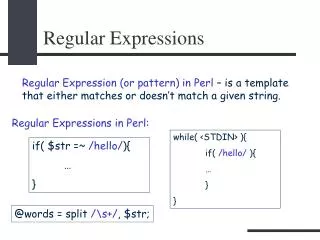
Regular Expression • Instead of asking if user input has some particular value, sometimes you want to know if it follows a particular pattern. • For example, is it a phone number? • The patterns are known as regular expressions. • They can be confusing, but there are libraries of them – so you don’t have to come up with your own if your data follows a well-known pattern
PHP preg_match if(!preg_match("/[a-zA-Z]+/",$firstName))
if(!preg_match("/[a-zA-Z]+/",$firstName)) • The simplest version of preg_match takes two arguments • The first is a regular expression pattern that is placed between “/ and /” • The second is the string variable in which one searches for the pattern • The function returns true if the pattern is found, false if the pattern is not found • The exclamation point ! Is the not operator – used here because we want to do something if the pattern is not found
The pattern: [a-zA-Z]+ • The square brackets indicate a set of characters. • The hyphen indicates a range. • Thus this pattern is a-z or A-Z, in other words a small or capital letter. • The + sign indicates that there should be one or more letters in the pattern • But there can be other things in the pattern
if(!preg_match("/^[a-zA-Z]+/",$firstName)) • Adding the caret ^ indicates that the string variable should not just have a string of one or more letters but it should startwith a string of one or more letters.
if(!preg_match("/^[a-zA-Z]+$/",$firstName)) • Adding the dollar sign $ indicates that the string variable should not just have a string of one or more letters but it should endwith a string of one or more letters. • So now it should begin and end with letters – nothing else is allowed. • That may be too strong, it doesn’t allow for spaces, hyphens or apostrophes
Regular Expression library: http://regexlib.com ^[a-zA-Z]+(([\'\,\.\- ][a-zA-Z ])?[a-zA-Z]*)*$
Testing a regular expression on the client side function validateForm() { var firstName=document.getElementById("txtFirstName").value; var lastName=document.getElementById("txtLastName").value; var pattern = new RegExp(/^[a-zA-Z]+$/); if(! firstName.match(pattern)) { alert("Please enter a proper first name."); return false; } else if(! lastName.match(pattern)) { alert("Please enter a proper last name."); return false; } }
var pattern = new RegExp(/^[a-zA-Z]+$/); • Declares a regular expression in JavaScript if(! firstName.match(pattern)) • Determines whether the string variable firstName matches the pattern determined by the regular expression