Troubleshooting Modern Web-Based Control Systems in HVAC
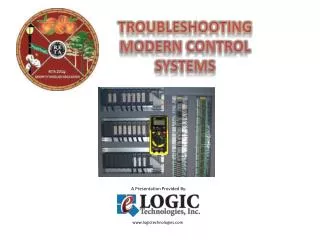
Join Ron Auvil, a seasoned expert in HVAC control systems, for an enlightening session on troubleshooting web-based control systems. Explore the impact of technological advances in HVAC, networking, and collaboration between IT and HVAC professionals. This presentation will cover networking basics, software essentials, server functions, wireless networking, and diagnostic tools. Learn practical troubleshooting scenarios that highlight common issues technicians face, equipping you with the knowledge to tackle challenges in both new and legacy systems.

Troubleshooting Modern Web-Based Control Systems in HVAC
E N D
Presentation Transcript
Troubleshooting Web Based Control Systems Presenter: Ron Auvil
Session Outline Presentation Outline: • Introductions and Technological Advances • Networking And Collaboration • Network Overview • Network Software • Servers • Wireless Networking • Diagnostic and Troubleshooting Tools • Troubleshooting Scenarios (2)
Introductions • Graduate of West Side Institute of Technology in Cleveland Ohio • In HVAC Industry over 37 years • Licensed 3rd Class Stationary Engineer • 33 Years Part and Full Time Training Experience, including 16 yrs on Faculty of Community College • Author, ‘HVAC Control Systems’, ‘HVAC and Refrigeration Systems’, ‘IT for HVAC Technicians’ American Technical Publishers. • Owner, High Performance Mechanical Training • Technical Contributor Fluke Corporation. • Currently Senior Technician/Trainer with Johnson Controls, Charlotte, NC • 17 Years with JCI as Lead Instructor HVAC and Controls
Technological Advances • Mechanical and control systems are becoming increasingly more sophisticated. • As a matter of fact, the rate of change technologically is increasing. • Mechanical systems changes include refrigerants, motor designs, variable speed drives, magnetic bearings, etc. • Control systems changes include advanced PC/server applications, impact of web and web enabled devices. • Combined with lack of training the result is………… • Products introduced with no one able to install or service them? i.e. 750 page server software installation instructions? • Service both NEW and OLD challenges
Networking And Collaboration • Today, Most Commercial HVAC Control Systems are put on a customer computer network. • What is a Network? A network is a system of nodes and other devices that are joined using connecting media that provides the means of data communication between the nodes. (ITH P#1) • Facility IT and HVAC Technician Collaboration. (ITH P#4) • Understanding the facility IT Staff Role and the HVAC Technician Role. • Knowledge of terminology, use of tools and troubleshooting are paramount.
Teaching Advanced Technology in our Classrooms • So, how does this impact our classrooms and what can we do about it? • Programs, technology, equipment quickly go out of date. • Instructors easily caught behind an increasingly steep technological curve. • Introduction of basic Information Technology (IT) training into HVAC programs, especially Controls training classes. • Equipment and computer updates, 3 year cycles at most. • Materials, books, training aids, etc. up to date • Big Task!
Network Overview • Network Types: LAN/WAN (ITH P#5) • Network Topologies; Star, Bus, Daisy Chain, etc. • Data Packets, Bandwidth and Throughput. • MAC Addressing; NIC Cards • Media/Cable UTP; Cat 5, 5e, 6. (ITH P#11) • Switches, Routers. • IP Addressing: (ITH P#4)
Network Overview • Switches, Routers. • IP Addressing: (ITH P#18)
Network Overview • Web Based Supervisory Controllers (ITH P#21)
Network Software • Client Computers • Operating System: (ITH P#27)
Network Software • Other Software: • Java, Windows Dependencies, Browsers; System Security, Firewalls • Software Troubleshooting Skills
Servers • Server Functions and Sizes (ITH P#36) • Functions: Passwords, Controller Tools, Long Term Data Storage, Email, Alarms, Printer, Smartphone/Tablet interface, SQL. • Sizes: Small/Large/Virtual
Servers • Software: OS (ITH P #40) • Windows Server OS • SQL • Server Setup and Troubleshooting
Wireless Networking • Wireless Router Infrastructure • Wireless Residential Thermostats • Wireless Passwords/Security:
Wireless Networking • Correct Wireless Network (ITH P#52)
Diagnostic and Troubleshooting Tools • Hardware; LED’s on Web Controllers and Devices (ITH P#56)
Diagnostic and Troubleshooting Tools • Hardware; DMM and Handheld Meters
Network Diagnostic and Troubleshooting Tools • Software: Command Prompt ‘Ping Command’ • Other: Tracert, Ipconfig, Netstat, 3rd Party and vendor Tools (ITH P#60)
Troubleshooting Scenario #1 • Wrong IP Address (ITH P#69) • No Customer Access • Ping Unsuccessful • Technician Uses Laptop, Cables, and Switch • Changes Wrong IP address at Web Controller or Customer Computer.
Troubleshooting Scenario #2 • No communications between web based controller and server. • Check server IP Address at Web-Based Controller. • Login and Look for ‘Network’ or ‘Focus’ Tab.
That’s It! • Any Questions? • Contact Information: Ron Auvil • Email: ron.auvil@gmail.com • Cell: (803) 367.3033