Understanding Java Data Types, Variables, and GUI Basics
This guide explores the foundational elements of Java programming, including primitive data types, variable declarations, and their assignment. Learn about integral types (byte, short, int, long), floating-point types (float, double), and the boolean type. We also cover the concept of reference types like String and Class, alongside practical examples of how to work with objects in Java. Additionally, you'll find an introduction to creating graphical user interfaces using JFrame, with exercises for hands-on learning.

Understanding Java Data Types, Variables, and GUI Basics
E N D
Presentation Transcript
Java Primitive Data Types primitive integral boolean floating point byte char short int long float double Begin with lowercase letters
Java Reference Types Reference types: 1. String 2. Class name
String Methods • int n = greeting.length(); • String bigRiver = river.toUpperCase();
What is: Java Syntax??
data type variable name Variables int total; int count, temp, result; Multiple variables can be created in one declaration
What Does a Variable Declaration Do? int ageOfDog; 4 bytes for ageOfDog
Variables • initial value in the declaration int sum = 0; int base = 32, max = 149;
Assignment ageOfDog = 10;
Variable Declarations and Assignment of Values VARIABLE DECLARATIONS ASSIGNMENT STATEMENTS
Identifiers • Rules for identifiers in Java?
package movetester; import java.awt.Rectangle; public class MoveTester { public static void main(String[] args) { Rectangle box = new Rectangle(5, 10, 20, 30); // Move the rectangle where x becomes 20 and y becomes 35 box.translate(15, 25); // Print information about the moved rectangle System.out.println(box.getX()); System.out.print("y: "); System.out.println(box.getY()); System.out.println("Expected: 35"); } }
Packages • package areatester;
We work with Objects • A fundamental entity in Java. • Objects are “things”
Class Object • Class encapsulates objects • work together (behavior) • Objects have properties:
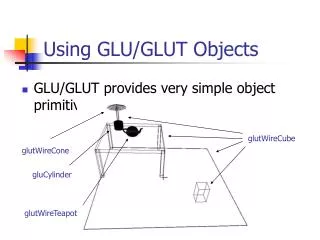
Graphical User Interfaces GUI Objects
frame Graphical User Interfaces (GUI): Demonstrates the object concep0t! Content pane used to display objects in a frame
01:import javax.swing.JFrame; 02: 03:publicclass EmptyFrameViewer 04:{ 05:publicstaticvoidmain(String[] args) 06:{ 07: JFrame frame =newJFrame(); 08: 09: frame.setSize(300,400); 10: frame.setTitle("An Empty Frame"); frame.setDefaultCloseOperation(JFrame.EXIT_ON_CLOSE); 12: frame.setVisible(true); 14:} 15:} Example: Frame Viewer
Jframe frame • Point to object frame = new JFrame (name); (creates a class instance)
See Sun site for greater detail Sun.java
Lab 2:Graphical Fun • Using the example in your text book on page 64; Section 2.13: • Create your own FaceViewer Class with a main method that will show a JComponent. • Adjust your Frame to be square • The frame title must contain your name. • Using the FaceComponent example as a guide (page 64; Section 2.13): • Create an Animal Viewer and draw an animal of your choice. • Draw a string that describes the animal • Set colors as desired
Output • Two classes - tested • Upload to the appropriate dropbox Lab Completion