Download
1 / 20
200 likes | 423 Views
This guide explains how to efficiently read and write files using Perl. It covers opening files for reading with error handling, reading lines into arrays, and closing filehandles. You'll learn how to write to new and existing files, including appending data, and how to check file properties using test operators. Additionally, it explains how to handle command line parameters effectively to customize your scripts. With examples showcasing real-world scenarios, this resource is essential for Perl programmers looking to enhance their file handling skills.

E N D
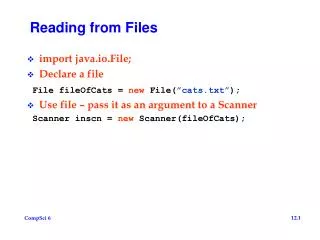
Reading files Open a file for reading, and link it to a filehandle:open(IN, "<EHD.fasta"); And then read lines from the filehandle, exactly like you would from <STDIN>:my $line = <IN>;my @inputLines = <IN>;foreach $line (@inputLines) ... Every filehandle opened should be closed:close(IN); Always check the open didn’t fail (e.g. if a file by that name doesn’t exists):open(IN, "<$file") ordie "can't open file $file";
no comma here Writing to files Open a file for writing, and link it to a filehandle: open(OUT, ">EHD.analysis") ordie... NOTE: If a file by that name already exists it will be overwriten! Or, you can add lines at the end of an existing file (append): open(OUT, ">>EHD.analysis") ordie... Print to a file:print OUT "The mutation is in exon $exonNumber\n";
File Test Operators You can ask questions about a file or a directory name (not filehandle): if (-e $name) { print "The file $name exists!\n"; } -e $name exists-r $name is readable-w $name is writable by you-z $name has zero size-s $name has non-zero size (returns size)-f $name is a file-d $name is a directory-l $name is a symbolic link-T $name is a text file-B $name is a binary file (opposite of -T).
Working with paths open(IN, '<D:\workspace\Perl\p53.fasta'); • Always use a full path name, it is safer and clearer to read • Remember to use \\ in double quotes open(IN, "<D:\\workspace\\Perl\\$name.fasta"); • (usually) you can also use / open(IN, "<D:/workspace/Perl/$name.fasta");
Command line parameters It is common to give parameters within the command-line for a program or a script: They will be stored in the array @ARGV: @ARGV contains: ("my","argument","list"); foreach my $arg (@ARGV){ print "$arg\n";} > perl -w findProtein.pl my argument list myargumentlist
Command line parameters It is common to give parameters within the command-line for a program or a script: They will be stored in the array @ARGV: @ARGV contains: ("my argument list"); foreach my $arg (@ARGV){ print "$arg\n";} > perl -w findProtein.pl "my argument list" my argument list
Command line parameters It is common to give parameters within the command-line for a program or a script: They will be stored in the array @ARGV: my $inFile = $ARGV[0];my $outFile = $ARGV[1]; Or more simply: my ($inFile,$outFile) = @ARGV; > perl -w findProtein.pl D:\perl\input.fasta D:\perl\output.txt
Reading files - example Reminder: the class exercise of 3 days ago. Input: Yossi 6.10,16.50,5.00 Dana 21.00,6.00 Refael 24.00,7.00,8.00 END Output: Yossi 27.6 Dana 27 Refael 45.1
Input: Yossi 6.10,16.50,5.00 Dana 21.00,6.00 Refael 24.00,7.00,8.00 END Output: Yossi 27.6 Dana 27 Refael 45.1 Reading files: example $line = <STDIN>; chomp $line; # loop processes one input line and print output for line while ($line ne "END") { # Separate name and numbers @nameAndNums = split(" ", $line); $name = $nameAndNums[0]; @nums = split(",", $nameAndNums[1]); $sum = 0; # Sum numbers foreach $num (@nums) { $sum = $sum + $num; } print "$name $sum\n"; # Read next line $line = <STDIN>; chomp $line; }
Input: Yossi 6.10,16.50,5.00 Dana 21.00,6.00 Refael 24.00,7.00,8.00 END Output: Yossi 27.6 Dana 27 Refael 45.1 Reading files: example my ($inFileName) = @ARGV; open(IN, "<$inFileName") or die "can't open $inFileName"; $line = <IN>; chomp $line; # loop processes one input line and print output for line while ($line ne "END") { # Separate name and numbers @nameAndNums = split(" ", $line); $name = $nameAndNums[0]; @nums = split(",", $nameAndNums[1]); $sum = 0; # Sum numbers foreach $num (@nums) { $sum = $sum + $num; } print "$name $sum\n"; # Read next line $line = <IN>; chomp $line; } close(IN);
Input: Yossi 6.10,16.50,5.00 Dana 21.00,6.00 Refael 24.00,7.00,8.00 END Output: Yossi 27.6 Dana 27 Refael 45.1 Reading files: example my ($inFileName, $outFileName) = @ARGV; open(IN, "<$inFileName") or die "can't open $inFileName"; open(OUT, ">$outFileName") or die "can't open $outFileName"; $line = <IN>; chomp $line; # loop processes one input line and print output for line while ($line ne "END") { # Separate name and numbers @nameAndNums = split(" ", $line); $name = $nameAndNums[0]; @nums = split(",", $nameAndNums[1]); $sum = 0; # Sum numbers foreach $num (@nums) { $sum = $sum + $num; } print OUT "$name $sum\n"; # Read next line $line = <IN>; chomp $line; } close(IN); close(OUT);
Input: Yossi 6.10,16.50,5.00 Dana 21.00,6.00 Refael 24.00,7.00,8.00 Output: Yossi 27.6 Dana 27 Refael 45.1 Reading files: example my ($inFileName, $outFileName) = @ARGV; open(IN, "<$inFileName") or die "can't open $inFileName"; open(OUT, ">$outFileName") or die "can't open $outFileName"; $line = <IN>; chomp $line; # loop processes one input line and print output for line while (defined $line) { # Separate name and numbers @nameAndNums = split(" ", $line); $name = $nameAndNums[0]; @nums = split(",", $nameAndNums[1]); $sum = 0; # Sum numbers foreach $num (@nums) { $sum = $sum + $num; } print OUT "$name $sum\n"; # Read next line $line = <IN>; chomp $line; } close(IN); close(OUT);
Input: Yossi 6.10,16.50,5.00 Dana 21.00,6.00 Refael 24.00,7.00,8.00 Output: Yossi 27.6 Dana 27 Refael 45.1 Reading files: example my ($inFileName, $outFileName) = @ARGV; open(IN, "<$inFileName") or die "can't open $inFileName"; open(OUT, ">$outFileName") or die "can't open $outFileName"; $line = <IN>; # loop processes one input line and print output for line while (defined $line) { chomp $line; # Separate name and numbers @nameAndNums = split(" ", $line); $name = $nameAndNums[0]; @nums = split(",", $nameAndNums[1]); $sum = 0; # Sum numbers foreach $num (@nums) { $sum = $sum + $num; } print OUT "$name $sum\n"; # Read next line $line = <IN>; } close(IN); close(OUT);
Pesach exercise The 3rd exercise is due on April 20th
no " here no " here Reading directories Perl allows easy access to the files in a directory by “globbing”: The * represents any string character .For example, *.* represents all filenames. my @files = <D:\\scripts\\*.pl>;foreach $fileName (@files) { open(IN, $fileName) or die "can't open file $fileName"; foreach $line (<IN>) { do something... }} Note: the “glob” gives a list of the file names in the directory.
Reading directories You can interpolate variables in the glob, as in double-quoted strings: @files = <D:\\scripts\\class_ex$lesson*.pl>; If $lesson is 4 then we may get these files in @files: class_ex4.pl class_ex4.1.pl class_ex4.2.pl
Manipulating files Delete a file: unlink ("fred.txt") or die "can't delete fred.txt"; Delete all files in a directory whose name matches a certain “pattern”: unlink <fred\\*.txt> or die "can't delete files in fred"; (Here – all file names that end with “.txt”) Move/rename files: rename ("fred.txt", "friends\\bob.txt") or die "can't move fred.txt";
Calling system commands Generally, you can execute any command of the operating system: $systemReturn = system("delete fred.txt"); Or: $systemReturn = system("copy fred.txt george.txt"); When checking the value returned by a system call, usually 0 means no errors: if ($systemReturn != 0) { die "can't copy fred.txt"; }