Understanding Wireless LAN: Standards, Security, and Infrastructure Insights
This comprehensive presentation provides an in-depth exploration of Wireless LANs, focusing on the IEEE 802.11 standards, infrastructure, and hardware implications. Key topics include advantages and disadvantages of wireless networks, security challenges and solutions, and the various modes of operation. From understanding modulation methods and net topology to practical insights on installation and system providers, this resource is essential for anyone looking to grasp the intricacies of wireless networking. Learn how to safely implement WLAN technology for optimal performance.

Understanding Wireless LAN: Standards, Security, and Infrastructure Insights
E N D
Presentation Transcript
Wireless LAN presented by: Damian Borth, Florian Seidel, Thomas Winterscheid
Contents • Definition • The IEEE 802.11 standards • Infrastructure and Impairments • Hardware • System Providers • Advantages and Disadvantages • Security • Alternatives
Table of content • IEEE Standard 802.11 • Basics • Frequency • OSI / ISO Layer • Modulation • Net topology • Properties
Standard • There is the IEEE 802.11 Standard for WLAN`s • Sub specifications • 802.11a • 802.11b • 802.11g • 802.11e
Basics • OSI / ISO overview • Physical Layer • Wireless LAN is almost exclusively Spread Spectrum Radio • direct sequence spread spectrum (DSSS) • frequency-hopping spread spectrum (FHSS) • infrared pulse position modulation (IrDA) • Data Link Layer • Carrier Sense Multiple Access with Collision Avoidance (CSMA/CA) protocol
Basics • Frequence • ISM band 2.4 GHz and 5 GHz • 2.4 - 2.4835 GHz frequency band • 5.725 - 5.850 GHz frequency band • Modus • Ad hoc mode • Peer to peer • Infrastructure mode • Using an access point network
Properties • Range: 100m – 400m (outdoors) • 802.11b- DSSS @11Mbps 2.4GHz • 802.11a- DSSS @54Mbps 5GHz • 802.11g- DSSS @22Mbps 2.4GHz • 802.11e- DSSS @22Mbps w/QoS
Contents (Part 2) • Definition • The IEEE 802.11 standards • Infrastructure and Impairments • Hardware • System Providers • Advantages and Disadvantages • Security • Alternatives
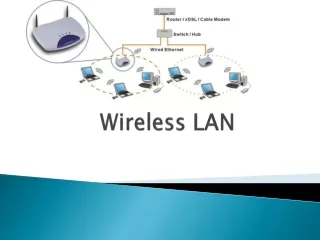
How to install? • Two different use modes: • AdHoc (P2P) • Infrastructured (LAN) ? ? ? ?
Adhoc • Standard P2P connection • Only for two PC`s • Same way of configuration (IP range etc...) • Transferrate 11 Mbit/s • Range ca. 30m-50m (outdoor 400m) • WEP against eavesdropping
Infrastructured • Access points are needed • Range 30m - 50m • Access points act like bridges/gateways • Installation of access points enables „Roaming“ functionality • Configuration of IP and administration like in wired network • Transferrate 11 Mbit/s
Impairments • Weakened by solid walls and concrete • No influence through glass • Range impairment can be increased with additional antenna up to 2 km • Bluetooth / IrDA
Which hardware you need? e.g. Fujitsu-Siemens I-Gate WLAN WirelessLan-Card Pre-installed Adapter USB Access Point
Wired? • Connectivity to wired LAN • Access points must be installed (bridge functionality) • Connectable to each kind of LAN
Roaming • Extended connectivity possibility • Allows free mobility • Access points transfers given IP within the network • Roaming between different networks is also possible (bridge/gateway)
Access to WAN? • ...is possible by using access points connected to ISDN / DSL • Access points can act like a gateway • No impairment to the transferrates
Producer Fujitsu-Siemens Aironet NDC Proxim Bay Networks Lucent RDC Productname I-Gate Telxon Serie 3500 Instantwave Rangelan Airsurfer Wavelan Portlan System provider
Contents (Part 3) • Definition • The IEEE 802.11 standards • Infrastructure and Impairments • Hardware • System Providers • Advantages and Disadvantages • Security • Alternatives
Advantages • mobility / flexibility • inexpensiveness • ease of installation / usage • extends LAN and doesn’t need to replace it
Disadvantages • lack of security • lower transmission rates than in wired networks
Security • basic problem: broadcast of radio data transmission • piracy tools: • AirSnort • WEPcrack • Network Stumbler, etc. • real problem: default settings of WLAN are insecure, e.g. „Accept ANY SSID“
Security - WEP • Wireless Equivalent Privacy • based on RC4 encryption algorithm • most important, but optional • 128 bit encryption algorithm for data encryption and authentification
Security - WEP • WEP does stream-encryption + generates key for each data package • to set up the stream, WEP uses the shared key and an initialization vector • the plain text information is parsed bit-by-bit and combined with pseudo random numbers (ensures that packages with same content are not equally encrypted)
Security - WEP • a carrier frequency is determined by the constallation of the data stream and broadcasted throughout the WLAN • the recipient deletes the pseudo random numbers and restores the plain text information
Weak Point • Initialization Vector (IV) • 24 bit • easily predictable (usually increment by1) • Same IV + (constant) Shared Key IV-Collision (same WEP-Key) • many IV-Collisions allow extraction
Security check • change default settings (e.g. password) • use WEP encryption • change WEP key regularly • filter MAC addresses • position APs before firewall
Security check • check log files for intrusion attempts • use “intrusion detection system” • turn off DHCP • use authentification • for extra high security use a VPN.
References & Bibliography • http://www.ieee.org • http://www.tecchannel.de • http://www.fujitsu-siemens.de • “Data and Computer Communications”,Sixth Edition, William Stallings, Prentice Hall
Any Questions? Thank you.