Comprehensive Guide to ER Diagram Development and Database Management
Dive into the essential concepts of Entity-Relationship (ER) diagram development and database management. This guide covers strong and weak entity types, relationships, cardinality, and participation constraints, along with detailed mapping from ER models to relational schemas. You'll learn how to create relations for both strong and weak entities, handle various attribute types, and implement necessary database constraints. Explore the different components of forms, reports, and queries, including select and action queries, to enhance your database application development skills.

Comprehensive Guide to ER Diagram Development and Database Management
E N D
Presentation Transcript
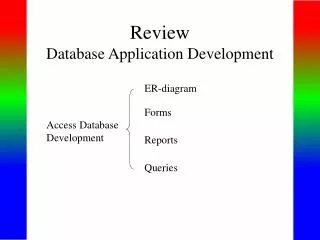
ReviewDatabase Application Development ER-diagram Forms Access Database Development Reports Queries
ER-diagram Entity types Strong entity type Weak entity type Relationships Cardinality constraints Participation constraints Attributes atomic attributes composite attributes single-valued, multi-valued attributes derived attributes key, partial key, surrogate key, non-key attribute
name location number 1 fname lname works for minit N department salary address name sex 1 number of employees startdate 1 ssn controls manages employee 1 bdate N supervisor hours N degree supervisee M supervision works on 1 project dependents of name number location N dependent relationship name sex birthdate
Mapping from ER-diagrams onto relational schemas 1. Create a relation for each strong entity type 2. Create a relation for each weak entity type 3. For each binary 1:1 relationship choose an entity and include the other’s PK in it as an FK 4. For each binary 1:n relationship, choose the n-side entity and include an FK with respect to the other entity. 5. For each binary M:N relationship, create a relation for the relationship 6. For each multi-valued attribute create a new relation 7. For each n-ary relationship, create a relation for the relationship
EMPLOYEE fname, minit, lname, ssn, bdate, address, sex, salary, superssn, dno DEPARTMENT Dname, dnumber, mgrssn, mgrstartdate Dnumber, dlocation PROJECT DEPT _LOCATIONS Pname, pnumber, plocation, dnum WORKS_ON Essn, pno, hours DEPENDENT Essn, dependentname, sex, bdate, relationship
c x d y N 1 A B • About participation constraints • If a relationship is mandatory for an entity set, then • if the entity set is on the “many” side of the relationship, then a specification is required to ensure a foreign key has a value, and that it cannot be null • setting the ‘required’ property for the FK in MS Access, or • NOT NULL constraint in the DDL.
A B c d x y c The “required” property for attribute c is set “yes”.
Setting the required property to Yes
If the entity set is on the “one” side of a relationship, then a check constraint or database trigger can be specified to ensure compliance. c x d y N 1 A B
A B c d x y c A program should be produced to check that any value appearing in c-column in table A must appear at least once in c-column in table B.
Forms different components: - bound controls - unbound controls - calculated controls - drop-down list box (combo box) - check box - option group - command buttons
Reports seven sections: - report header - page header - group header - details - group footer - page footer - report footer
Queries different kinds of queries: - select queries - action queries Make-Table query Delete query Append-Table query Update query - Crosstab query - total queries Group by Aggregate functions: Count, sum, maximum, minimum, Average - one-to-one relationship, one-to-many relationship