Migration Tips When Switching WordPress Hosts.
Watch this PPT to understand how you can migrate your WordPress website to a new host without losing data, SEO rankings, or performance. Smartinfosys.net is sharing valuable tips on how you can migrate smoothly without risk.

Migration Tips When Switching WordPress Hosts.
E N D
Presentation Transcript
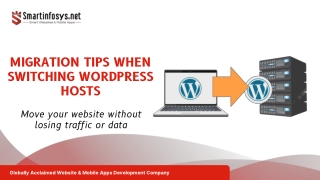
MIGRATION TIPS WHEN SWITCHING WORDPRESS HOSTS Move your website without losing traffic or data Globally Acclaimed Website & Mobile Apps Development Company
PLAN BEFORE YOU MOVE Full Backup: Files, database, themes, plugins. Hosting Comparison: Speed, uptime, support. Migration Window: Choose low-traffic hours. Globally Acclaimed Website & Mobile Apps Development Company
URL Structure: Keep permalinks unchanged. Redirects: Fix broken or changed links. Search Console: Monitor indexing and errors. PROTECT SEO DURING MIGRATION Globally Acclaimed Website & Mobile Apps Development Company
DNS Update: Point domain to new host. File Migration: Themes, plugins, media intact. Database Transfer: Clean and updated copy. TECHNICAL MIGRATION STEPS Globally Acclaimed Website & Mobile Apps Development Company
Security Scan: SSL, malware, permissions. Website Speed: Test performance improvements. Functionality: Forms, checkout, plugins. POST-MIGRATION CHECKS Globally Acclaimed Website & Mobile Apps Development Company
Secure, fast, and performance-driven hosting setup. Expert WordPress migrations. Minimal downtime and SEO-safe transitions. WHY CHOOSE SMARTINFOSYS.NET Globally Acclaimed Website & Mobile Apps Development Company
CONTACT US TODAY FOR EXPERT WORDPRESS HOSTING. Smartinfosys.net India ~ USA ~ UK +1-202-960-7671 +91-9426157243 sales@smartinfosys.net www.smartinfosys.net Globally Acclaimed Website & Mobile Apps Development Company