Custom Heading Design for Lethbridge Orcas with Pulp Fiction M54 Font
Create a stunning custom heading for the Lethbridge Orcas using the Pulp Fiction M54 font. Download the required fonts and follow our step-by-step guide for both Windows and Mac OS to ensure a seamless design experience. Adjust the sub-heading text and size it to fit perfectly under the main heading. Remember to save your work as a PNG file to maintain a transparent background, allowing easy integration into other documents. Enhance your presentations with a professional touch while showcasing the Orcas logo.

Custom Heading Design for Lethbridge Orcas with Pulp Fiction M54 Font
E N D
Presentation Transcript
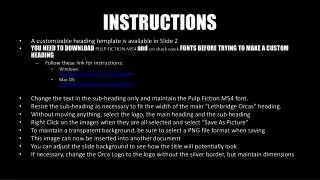
INSTRUCTIONS • A customizable heading template is available in Slide 2 • YOU NEED TO DOWNLOAD PULP FICTION M54 and cm shark week FONTS BEFORE TRYING TO MAKE A CUSTOM HEADING • Follow these link for instructions: • Windows:http://www.dafont.com/faq.php#win • Mac OS:http://www.dafont.com/faq.php#mac • Change the text in the sub-heading only and maintain the Pulp Fiction M54 font. • Resize the sub-heading as necessary to fit the width of the main “Lethbridge Orcas” heading. • Without moving anything, select the logo, the main heading and the sub-heading • Right Click on the images when they are all selected and select “Save As Picture” • To maintain a transparent background, be sure to select a PNG file format when saving • This image can now be inserted into another document • You can adjust the slide background to see how the title will potentially look • If necessary, change the Orca Logo to the logo without the silver border, but maintain dimensions
LETHBRIDGE ORCAS CUSTOM SUB-HEADING