Why Is My Wi-Fi Fast in One Room and Terrible in Another?
If you’ve ever wondered why your Wi-Fi works well in the living room but struggles in the bedroom, or why your internet seems slower even though you’re paying for a fast plan, you’re not alone. I’ve lost track of how many times I blamed my internet provider, only to find out that the real issue was the Wi-Fi frequency.
Most modern routers offer us two options: 2.4 GHz Wi-Fi and 5 GHz Wi-Fi. These terms sound technical and almost similar, but picking the wrong one for your needs can make your connection feel frustrating.
This guide aims to clear up the confusion. We’ll explain the real differences, when each frequency works best, and how Dual-band Wi-Fi helps, all without making this a networking textbook. Think of this as a practical Wi-Fi frequency comparison from someone who has learned these lessons the hard way.
The Basics: What Does Wi-Fi Frequency Even Mean?
Before making any comparisons, let’s clarify this in simple terms. Wi-Fi frequencies are radio waves that your router uses to connect with devices like laptops, phones, smart TVs, and Internet of Things devices. These waves work on different bands, with the two most common being 2.4 GHz and 5 GHz.
The numbers don’t represent speed directly. Instead, they affect:
- How far the signal travels
- How fast can data move
- How well it handles interference
Understanding that trade-off is the key to solving most Wi-Fi headaches.
2.4 GHz Wi-Fi: The Reliable Old Workhorse
Why It’s Everywhere
2.4 GHz Wi-Fi has been around for a long time, which is why it’s so widely supported. Almost every Wi-Fi device, whether old or new, can connect to it without problems.
What It Does Well
In my experience, this band is best described as reliable rather than flashy.
- Longer range: It travels farther and penetrates walls better.
- Better for large homes: Especially when your router isn’t centrally located.
- Ideal for smart devices: Things like smart bulbs, cameras, and plugs don’t need blazing speeds.
Where It Struggles
The downside becomes obvious in busy environments.
- Crowded spectrum: Many household devices use this band, including microwaves and Bluetooth gadgets.
- Slower speeds: Fine for browsing, but noticeable when streaming or gaming.
- More interference: Apartment buildings are especially tough on the 2.4 GHz band.
I’ve seen this band shine in rural or less crowded spaces, but in dense neighborhoods, it can feel congested.
5 GHz Wi-Fi: Faster, Cleaner, but Short-Range
Why It Feels Faster
When people switch to 5 GHz Wi-Fi and say, “Wow, this feels instant,” they’re not just imagining things. This band supports higher data rates, making it perfect for today's needs.
What It’s Great At
- Faster speeds: Perfect for streaming, gaming, and large downloads.
- Less interference: Fewer devices compete on this band.
- Lower latency: A big win for video calls and online gaming.
As a developer working from home, I personally prefer this band for my main workstation, it’s simply smoother.
The Trade-Off
Speed comes at a cost.
- Shorter range: Signals weaken quickly through walls.
- Less reliable across floors: Upper or lower levels may struggle.
- Not ideal for older devices: Some hardware still doesn’t support it well.
If your router is far away, the connection can drop faster than you’d expect.
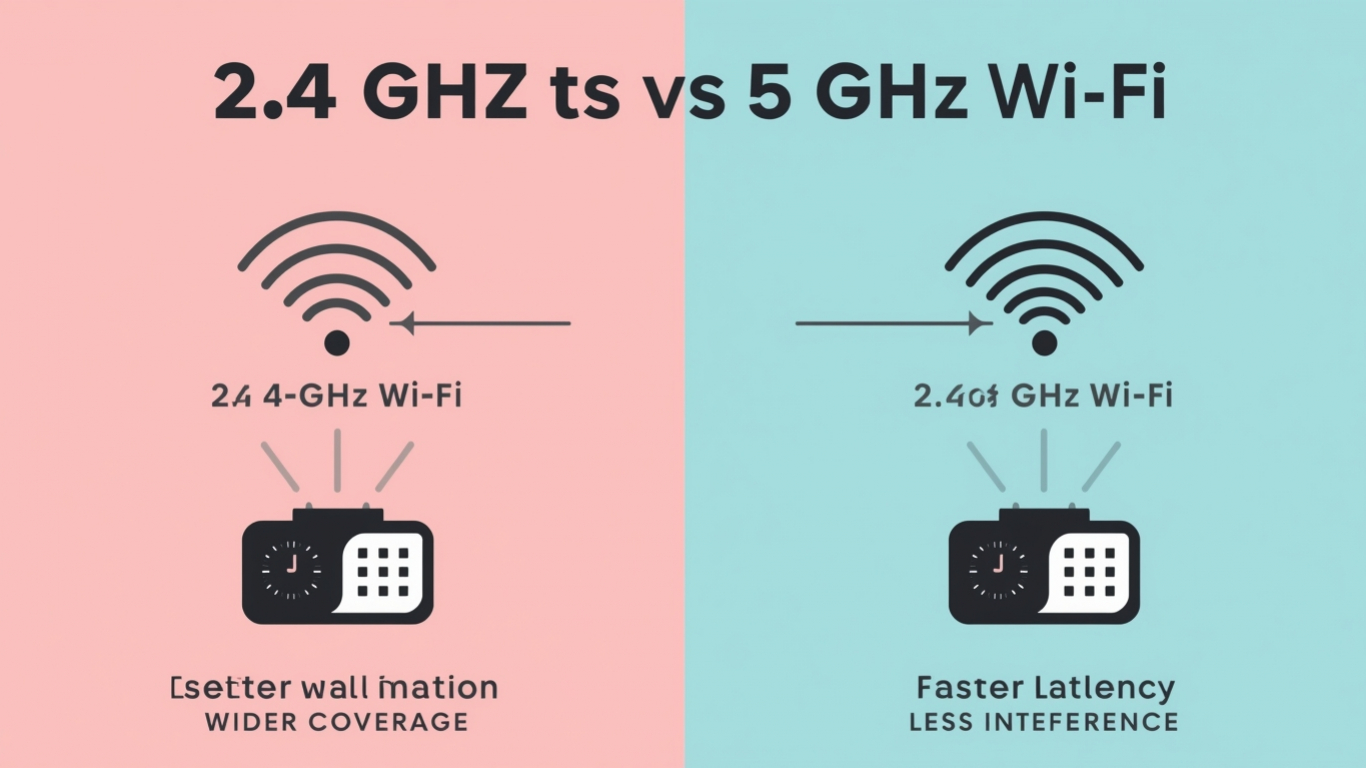
2.4 GHz vs 5 GHz Wi-Fi: A Practical Comparison
Rather than throwing specs at you, here’s how these bands compare in daily life:
- Range: 2.4 GHz reaches farther, 5 GHz stays closer.
- Speed: 5 GHz is noticeably faster.
- Interference: 2.4 GHz is more crowded.
- Stability: 2.4 GHz is more forgiving over distance.
- Best use case: 2.4 GHz for coverage, 5 GHz for performance.
This is the heart of any honest Wi-Fi frequency comparison; neither band is “better” in every situation.
What Is Dual-Band Wi-Fi and Why It Matters
Most modern routers offer Dual-band Wi-Fi, meaning they send out both frequencies at the same time. This is where things get interesting.
How Dual-Band Helps in Real Life
Instead of forcing all devices onto one band:
- Performance-heavy devices can use 5 GHz
- Long-range or low-power devices stay on 2.4 GHz
Some routers even change connections automatically based on signal strength and load. When it works well, you don’t even notice; it just feels like your Wi-Fi has gotten smarter.
From a practical perspective, dual-band support is now a must-have. It’s a basic feature for modern homes and remote work setups.
When Should You Use 2.4 GHz Wi-Fi?
Based on real-world use, this band makes sense when:
- Your device is far from the router
- You’re connecting smart home devices
- You need coverage through thick walls
- Speed isn’t your top priority
I still rely on it for outdoor cameras and garage devices; it’s simply more dependable over distance.
When Should You Switch to 5 GHz Wi-Fi?
This band shines when:
- You’re close to the router
- You’re gaming or streaming in HD/4K
- You attend frequent video calls
- You transfer large files locally
If your desk is near the router and you care about performance, this is usually the better choice.
Common Mistakes People Make with Wi-Fi Bands
- I’ve made most of these myself:
- Assuming faster internet plans fix Wi-Fi problems
- Using 5 GHz everywhere, even where it can’t reach
- Crowding all devices onto one band
- Ignoring router placement
Understanding frequency differences often solves issues without buying new hardware.
Developer Perspective: Why This Matters More Than You Think
For developers, unreliable Wi-Fi isn’t just annoying, it’s disruptive.
- Dropped video calls
- Slow builds or downloads
- Lag during remote debugging
- Cloud tools are timing out
Knowing when to use 2.4 GHz Wi-Fi versus 5 GHz Wi-Fi can truly improve your daily workflow. You don’t need to be a network engineer; you just need to work smarter with what you have.
The Future: Beyond 2.4 and 5 GHz
This article reviews the most common bands today, but newer standards are adding more options with extra frequencies. For most people, understanding these two bands is enough to significantly improve their experience.
The basics remain the same: balance speed, range, and reliability
Conclusion
It’s Not About Choosing One, It’s About Using Both Wisely The debate between 2.4 GHz and 5 GHz Wi-Fi isn’t about which one is better. It’s about the situation. One band provides reach and stability, while the other offers speed and clarity. Dual-band Wi-Fi exists because modern homes need both. Once you grasp how these frequencies work, Wi-Fi issues no longer seem random; they feel solvable.
If your internet ever feels inconsistent, don’t blame your ISP right away. Sometimes, the answer is simply choosing the right band.
Frequently Asked Questions (FAQs)
1. Is 5 GHz Wi-Fi always faster than 2.4 GHz?
In most cases, yes, especially at short distances. However, speed drops quickly if you’re far from the router.
2. Why does my Wi-Fi disconnect when I move rooms?
This usually happens because 5 GHz signals weaken as they pass through walls. Switching to 2.4 GHz can help.
3. Should I disable one Wi-Fi band?
Generally no. Keeping both active allows devices to automatically choose the best option.
4. Does dual-band Wi-Fi improve internet speed?
It doesn’t increase your internet plan speed, but it improves performance by reducing congestion. 5. Which Wi-Fi band is better for smart home devices? Most smart devices work better on 2.4 GHz due to its longer range and compatibility.