Understanding Ray Tracing: Techniques for Visibility and Image Rendering in 3D Scenes
Dive into the essentials of ray tracing, a powerful technique in 3D graphics for rendering images from models. This guide covers key concepts such as visibility determination, object-order vs. image-order rendering, ray casting from viewpoints, and computational methods for intersection testing, including ray-sphere, ray-triangle, and ray-polygon intersections. Explore how ray tracing calculates intensity at intersection points, encompassing illumination and shading models while discussing the benefits and limitations of this method. Gain insights into the balance between computational intensity and the quality of rendered images.

Understanding Ray Tracing: Techniques for Visibility and Image Rendering in 3D Scenes
E N D
Presentation Transcript
Visibility Problem • Rendering: converting a model to an image • Visibility: deciding which objects (or parts) will appear in the image • Object-order • Image-order
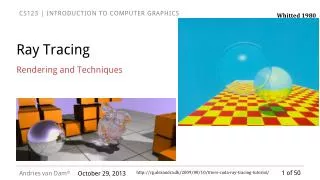
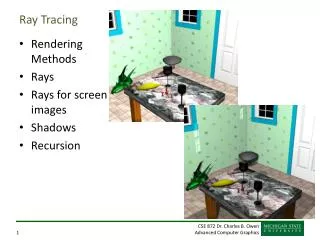
Raytracing • Given • Scene • Viewpoint • Viewplane • Cast ray from viewpoint through pixels into scene
Raytracing Algorithm Given List of polygons { P1, P2, ..., Pn } An array of intensity[ x, y ] { For each pixel (x, y) { form a ray R in object space through the camera position C and the pixel (x, y) Intensity[ x, y ] = trace ( R ) } Display array Intensity }
Raytracing Algorithm Function trace ( Ray ) { for each polygon P in the scene calculate intersection of P and the ray R if ( The ray R hits no polygon ) return ( background intensity ) else { find the polygon P with the closest intersection calculate intensity I at intersection point return ( I ) // more to come here later } }
Computing Viewing Rays • Parametric ray • Camera frame : eye point : basis vectors • right, up, backward • Right hand rule! • Screen position
Calculating Intersections • Define ray parametrically: • If is center of projection andis center of pixel, then : points between those locations : points behind viewer : points beyond view window
Ray-Sphere Intersection • Sphere in vector form • Ray • Intersection with implicit surface f(t) when • Normal at intersection p
Ray-Triangle Intersection • Intersection of ray with barycentrictriangle • In triangle if > 0, > 0, + < 1 booleanraytri (ray r, vector p0, vector p1, vector p2, interval [t0,t1] ) { compute t if (( t < t0 ) or (t > t1)) return ( false ) compute if (( < 0 ) or ( > 1)) return ( false ) compute if (( < 0 ) or ( > 1)) return ( false ) return true }
Ray-Polygon Intersection • Given ray and plane containing polygon • What is ray/plane intersection? • Is intersection point inside polygon • Is point inside all edges? (convex polygons only) • Count edge crossings from point to infinity
Point in Polygon? • Is P in polygon? • Cast ray from P to infinity • 1 crossing = inside • 0, 2 crossings = outside
Point in Polygon? • Is P in concave polygon? • Cast ray from P to infinity • Odd crossings = inside • Even crossings = outside
Raytracing Characteristics • Good • Simple to implement • Minimal memory required • Easy to extend • Bad • Aliasing • Computationally intensive • Intersections expensive (75-90% of rendering time) • Lots of rays
Basic Concepts • Terms • Illumination: calculating light intensity at a point (object space; equation) based loosely on physical laws • Shading: algorithm for calculating intensities at pixels (image space; algorithm) • Objects • Light sources: light-emitting • Other objects: light-reflecting • Light sources • Point (special case: at infinity) • distributed
Lambert’s Law • Intensity of reflected light related to orientation
Lambert’s Law • Specifically: the radiant energy from any small surface area dA in any direction relative to the surface normal is proportional to cos
Ambient light = intensity of ambient light = reflection coefficient = reflected intensity
Combined Model Adding color: For any wavelength :