Download
1 / 13
130 likes | 240 Views
Dive into the essentials of Java programming with the TestClass example, which illustrates the significance of classes, objects, and methods in building robust applications. Learn about integer variables, array handling, and the use of key Java collections like ArrayList, HashSet, and HashMap. The presented code snippets not only demonstrate object creation and method invocation but also emphasize the importance of comparing strings correctly in Java. Enhance your programming skills and become adept at utilizing these fundamental Java concepts for your assignments and projects.

E N D
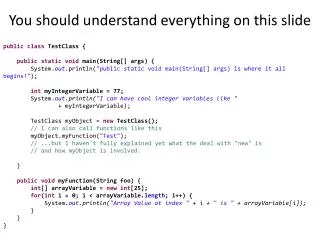
You should understand everything on this slide publicclassTestClass { publicstaticvoid main(String[] args) { System.out.println("public static void main(String[] args) is where it all begins!"); intmyIntegerVariable = 77; System.out.println("I can have cool integer variables like " + myIntegerVariable); TestClassmyObject = newTestClass(); // I can also call functions like this myObject.myFunction("Test"); // ...but I haven't fully explained yet what the deal with "new" is // and how myObject is involved. } publicvoidmyFunction(String foo) { int[] arrayVariable = newint[25]; for(int i = 0; i < arrayVariable.length; i++) { System.out.println("Array Value at index " + i + " is " + arrayVariable[i]); } } }
Classes and ObjectsArrayListsHashMapsHashSets When arrays are just not cool enough.
In case you missed the email… • The Link is now staffed 5pm-11pm, Sunday-Thursday! Get help! • You first APT assignment is due tomorrow at 8am. How many folks are planning to be at the Link tonight? • Hangman (due next Wednesday 1/25 at 8am) is posted and ready to go. Many other things are coming due too! • Videos and notes will be linked off the syllabus
In the Optional Textbook • Read chapters 1-3 (should be fast, but do some of the exercises at the end of Chapter 3) • The later part of this class will also deal with bits of chapter 16
The Story Thus Far publicclassTestClass { publicstaticvoid main(String[] args) { System.out.println("public static void main(String[] args) is where it all begins!"); intmyIntegerVariable = 77; System.out.println("I can have cool integer variables like " + myIntegerVariable); TestClassmyObject = newTestClass(); // I can also call functions like this myObject.myFunction("Test"); // ...but I haven't fully explained yet what the deal with "new" is // and how myObject is involved. } publicvoidmyFunction(String foo) { int[] arrayVariable = newint[25]; for(int i = 0; i < arrayVariable.length; i++) { System.out.println("Array Value at index " + i + " is " + arrayVariable[i]); } } }
Objects: they combine data and functions together Data: “cgga” Functions: setStrandData getStrandData mutate addBasePair Data: “gattac” Functions: setStrandData getStrandData mutate addBasePair
addBasePair function DnaStrand strand = new DnaStrand(); strand.setStrandData(“cga”); //prints cga System.out.println(strand.getStrandData()); strand.addBasePair(“t”); //prints cgat System.out.println(strand.getStrandData());
Why Objects? • See the coolness of java’s String class!
BEWARE! Never compare 2 strings like this: String foo; String bar; //some other code if(foo == bar) { System.out.println(“Strings are equal!”) } Always compare them like this: if(foo.equals(bar)) { System.out.println(“Strings are equal!”) }
is3rdBasePairCytosine DnaStrand strand = new DnaStrand(); strand.setStrandData(“tac”); if(strand.is3rdBasePairCytosine()); { System.out.println(“cytosine!”); } The function is3rdBasePairCytosine returns a boolean – a primitive type that is either true or false You might check out the String Javadoc for some useful functions
4 Classes You Will Get to Know is CompSci 100 • String • ArrayList – an expandable list you can add or remove elements from • HashSet – a list that prevents duplicate elements • HashMap – a “dictionary” where you can associate a particular key with a particular value
getBaseCounts public HashMap<Character,Integer> getBaseCounts() { HashMap<Character,Integer> baseCounts = new HashMap<Character,Integer>(); baseCounts.put(‘c’, 0); baseCounts.put(‘g’, 0); baseCounts.put(‘a’, 0); baseCounts.put(‘t’, 0); for(inti = 0; i < myData.length(); i++) { char currentBase = myData.charAt(i); //your code goes here } return baseCounts; } When you’re finished, submit your code via ambient.
What you should know • What the difference between class and objects is, and how objects work • 4 key java objects to help you with apts and homeworks: • String • ArrayList • HashMap • HashSet