SlideServe Logo
  • Browse
    • Recent Presentations
    • Recent Articles
    • Content Topics
    • Updated Contents
    • Featured Contents

    • PowerPoint Templates
    • Presentation
    • Article
    • Survey
    • Quiz
    • Lead-form
    • E-Book
  • Pro
  • Upload

Material codes - PowerPoint PPT Presentation

Placing Orders via Avaya Solution Designer (ASD) Upload Method

Placing Orders via Avaya Solution Designer (ASD) Upload Method

Placing Orders via Avaya Solution Designer (ASD) Upload Method. cscbphd@avaya.com. Launch ASD on Client 110 in I2P. Click “Install” and Then Click on “Launch Now”. * ASD automatically upgrades to the latest version.

★ ★ ★ ★ ★

756 views • 38 slides


Go to Sheet 2 of the work book. If the 2 nd row of the worksheet has values, delete the row.

Go to Sheet 2 of the work book. If the 2 nd row of the worksheet has values, delete the row.

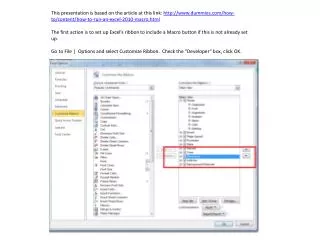
This presentation is based on the article at this link: http://www.dummies.com/how-to/content/how-to-run-an-excel-2010-macro.html The first action is to set up Excel’s ribbon to include a Macro button if this is not already set up.

★ ★ ★ ★ ★

357 views • 15 slides


View Material codes PowerPoint (PPT) presentations online in SlideServe. SlideServe has a very huge collection of Material codes PowerPoint presentations. You can view or download Material codes presentations for your school assignment or business presentation. Browse for the presentations on every topic that you want.

  • English
  • Français
  • About
  • Privacy
  • DMCA
  • Blog
  • Contact
© 2026 SlideServe. All rights reserved.