Download
1 / 5
Social Media Privacy Settings
60 likes | 271 Views
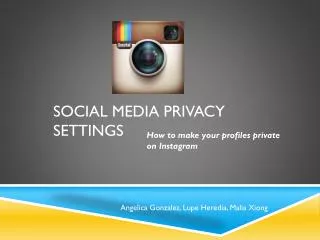
Social Media Privacy Settings. How to make your profiles private on Instagram. Angelica Gonzalez, Lupe Heredia, Malia Xiong. Step 1: Once you are logged into instagram , on the toolbar, click the bottom right button. Step 2:Once you are on your profile, click “Edit your profile”.
Download Presentation 
Social Media Privacy Settings
An Image/Link below is provided (as is) to download presentation
Download Policy: Content on the Website is provided to you AS IS for your information and personal use and may not be sold / licensed / shared on other websites without getting consent from its author.
Content is provided to you AS IS for your information and personal use only.
Download presentation by click this link.
While downloading, if for some reason you are not able to download a presentation, the publisher may have deleted the file from their server.
During download, if you can't get a presentation, the file might be deleted by the publisher.
E N D
Presentation Transcript
Social Media Privacy Settings How to make your profiles private on Instagram Angelica Gonzalez, Lupe Heredia, MaliaXiong
Step 1: Once you are logged into instagram, on the toolbar, click the bottom right button
Step 2:Once you are on your profile, click “Edit your profile”
Step 4:Look where it says “photos are private” and if it is OFF, click it and it should change to ON DON’T FORGET TO SAVE YOUR SETTINGS!
More Related