Download
1 / 27
270 likes | 388 Views
Discover the intricacies of extending SQL Server Integration Services (SSIS) with custom tasks in this insightful session led by Darren Green of Konesans Ltd. Learn about various task types, debugging techniques, and the installation process through a step-by-step approach. By utilizing advanced code and UI features, developers can create powerful, reusable SSIS components that simplify complex business logic. This session is perfect for those looking to enhance their SSIS knowledge and development capabilities.

E N D
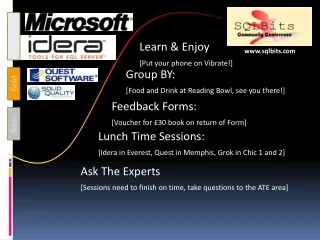
Platinum Learn & Enjoy [Put your phone on Vibrate!] www.sqlbits.com Group BY: [Food and Drink at Reading Bowl, see you there!] Gold Feedback Forms: [Voucher for £30 book on return of Form] Silver Lunch Time Sessions: [Idera in Everest, Quest in Memphis, Grok in Chic 1 and 2] Ask The Experts[Sessions need to finish on time, take questions to the ATE area] Extending SSIS with Custom Tasks
Extending SSIS with Custom Tasks Darren Green Konesans Ltd
Agenda • Extending SSIS • Types • Six Steps • Tasks • Debugging • Installation • When and Why?
Types • Task • Pipeline Component • Source • Destination • Transform • Log Provider • For Each Enumerator • Connection Manager
Six Steps • Create project • Add references • Add signing key • Write code • Compile • Install
References • Microsoft.SQLServer.ManagedDTS • Microsoft.SqlServer.Dts.Runtime • Microsoft.SQLServer.DTSRuntimeWrap • Microsoft.SqlServer.Dts.Runtime.Wrapper • Microsoft.SqlServer.PipelineHost • Microsoft.SqlServer.Dts.Pipeline • Microsoft.SqlServer.DTSPipelineWrap • Microsoft.SqlServer.Dts.Pipeline.Wrapper • Microsoft.SqlServer.Dts.Design • Microsoft.SqlServer.Dts.Runtime.Design
Custom Objects - Template [ObjectAttribute(Information)] public class MyCustomObject : BaseClass { public override void BaseMethod() { // Custom code } }
Demo Simple Task
Tasks • Methods • InitializeTask • Validate • Execute • Properties • Use attributes, editors and type converters • Use connection GUID • Write only for security when required • Custom persistence for sensitive data or complex types
More Task Features • Custom Events • Custom Log Entries • Breakpoints (IDTSBreakpointSite)
Create a Task User Interface • Create UI class (Implement IDtsTaskUI) • Create UI form • Set task’s UITypeName attribute
Demo Simple Task User Interface
Advanced Task User Interfaces • Microsoft.DataTransformationServices.Controls Microsoft.DataTransformationServices.Controls.dll • DTSBaseTaskUI Base Form Class • DTSTaskUIHost Control, paged control • Class per page, implement IDTSTaskUIView
Debugging • Designer – Design time • Attach to devenv.exe • Designer – Runtime • Attach to DTSDebugHost.exe • Component Project – Runtime • Start external program C:\Program...\DTExec.exe /F "C:\...TestPackage.dtsx”
Debugging Tips • Ensure class and strong name is fixed at start • Must restart BIDS between builds, slow! • Use DTExec for all runtime • Use Post Build Event for install • copy "$(TargetPath)“ C:\Program... • gacutil.exe" /if "$(TargetPath)“ • Ensure persistence complete
Installation Locations • Designer Enumeration Folder • Designer location only (x86 Only) C:\Program Files\Microsoft SQL Server\90\DTS\<Object> \Connections \LogProviders \ForEachEnumerators \PipelineComponents \Tasks • Global Assembly Cache • Runtime loading by execution host
Install Platform Target 32-bit (x86) • Install in Program Files for Designer • Install in GAC for run-time • Support for x86 specific targeted assemblies • Support for Any CPU / MSIL
Install Platform Target 64-bit (x64) • Support for x86 only targeted assemblies • Support for x64 only targeted assemblies • Support for Any CPU / MSIL • Designer is x86/MSIL only • Can side by side target assemblies
Install Platform Target Itanium (IA64) • Support for IA64 • Support for Any CPU / MSIL • No designer support
64-bit Tools Only • No x86 file requirement • No x86 DTSPath registry key • MSI registry search is 32-bit • No key, no tools, no designer, no file required!
Install Tips • Use MSI builder of choice, e.g. VS, WiX • Registry Search for DTS folder location HKLM\SOFTWARE\Microsoft\MSDTS\Setup\DTSPath C:\Program Files\Microsoft SQL Server\90\DTS\ • Allow tools only installs, don’t require 32-bit key • User Interfaces & Support Assemblies? • GAC Only • Support Files? • Use special folders, CommonApplicationData • Minimal UI, no options required
When to extend • Reuse in multiple packages • Increased Development vs Lower Maintenance • Access legacy resources (COM) • Complex business logic • More advanced code requirements • Powerful IDE • Language choice
Resources - Samples • Microsoft Download Center http://www.microsoft.com/downloads/ Search for “SQL Server SSIS Sample Component” • Professional SQL Server 2005 Integration Services – WROX (Ch 14 – 15 – Samples) http://www.wrox.com/WileyCDA/WroxTitle/productCd-0764584359.html • Microsoft SQL Server 2005 Integration Services – SAMS (Ch 24 – 25 - Samples) http://www.samspublishing.com/bookstore/product.asp?isbn=0672327813
Thank You! Darren Green Konesans Ltd darren.green@konesans.com http://www.konesans.com http://www.sqldts.com http://www.sqlis.com
Platinum www.SQLBits.com[Conference Web site] www.sqlbits.com www.SQLBlogCasts.com[Becoming the premier Blogging site for SQL professionals] Gold www.SQLServerFAQ.com[UK SQL Server Community Website] Silver UK SQL Bloggers cwebbbi.spaces.live.comsqlblogcasts.com/blogs/simonssqlblogcasts.com/blogs/tonyrogerson Feedback Forms!!