1 / 0

Customizing E-Forms: Enhancing User Experience with iStart and Sunapsis Frameworks

Discover the benefits of customizing E-Forms in online services during this informative session. Led by Paul Dexter from the University of Pennsylvania and Tim Climis from Indiana University, this presentation explores the unique features of the OPT eForm at UPenn, focusing on user experience improvements and technical aspects using ColdFusion. Learn how Sunapsis’s customization framework can enhance your institution's online services and streamline user interactions effectively.

rhoda
Download Presentation

Customizing E-Forms: Enhancing User Experience with iStart and Sunapsis Frameworks

An Image/Link below is provided (as is) to download presentation Download Policy: Content on the Website is provided to you AS IS for your information and personal use and may not be sold / licensed / shared on other websites without getting consent from its author. Content is provided to you AS IS for your information and personal use only. Download presentation by click this link. While downloading, if for some reason you are not able to download a presentation, the publisher may have deleted the file from their server. During download, if you can't get a presentation, the file might be deleted by the publisher.

E N D

Presentation Transcript


  1. E-Form Extensions and Custom Online Services

    Paul Dexter, University of Pennsylvania Tim Climis, Indiana University
  2. Session Outline Why customize iStart The OPT eform at the University of Pennsylvania User experience Behind the scenes (ColdFusion) Sunapsis’s customization framework API guide Discussion: What customizations could you build?
  3. Session Objectives Identify what is possible in Sunapsis customizations Meet your institution’s business needs Share ideas as a community of Sunapsis power users
  4. Why customize iStart?
  5. E-Form Extension: Behind the Scenes
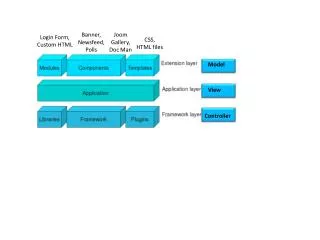
  6. Sunapsis ColdFusion Customization Custom Eform Extensions Custom Online Services Custom Alerts
  7. What would you like to build?
  8. Tips & Tricks Most errors in custom code are silenced by Sunapsis Identify syntax errors by loading the extension .cfc using <cfobject component> Identify runtime errors using <cftry><cfcatch> Then <cfmail><cfdump> or <cfsavecontent><cfdump> to send the error where you can read it You can also use <cfdump> to get more details on undocumented objects
  9. Note: Resources that could be helpful to show during the presentation Log into iPenn Submit the test OPT eform in iPenn Submit CyberSource test payment ColdFusion code for all 3 extensions Custom Service examples in iPenn (taxes, admissions)
More Related