Sending Data Using Hyperlinks in CGI/Perl Programming
In this chapter, learn to create hyperlinks for CGI scripts, append data to URLs, and utilize the CGI.pm module for data parsing. Discover how to send single and multiple data items via hyperlinks, using proper syntax for key-value pairs. Understand how to access data using the param function to retrieve values associated with keys. Also, learn to ensure your scripts run correctly within a web browser environment. This guide provides essential concepts seamlessly bridging HTML and Perl for dynamic web applications.

Sending Data Using Hyperlinks in CGI/Perl Programming
E N D
Presentation Transcript
Sending Data Using a Hyperlink CGI/Perl Programming By Diane Zak
Objectives • In this chapter, you will: • Create a hyperlink to a CGI script • Append data to a URL • Use the CGI.pm module to parse data • Access data using the param function
Introduction • Changes to static web pages can only be made when the page is updated on the server • Requires human intervention • Changes to dynamic web pages can be made in response to information sent through a hyperlink or form
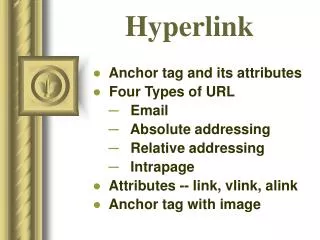
Creating a Link to a Script • Most web pages contain text, images and hyperlinks • Hyperlinks or links appear as different colored text, underlined text, or clickable images • The HTML anchor tag <A> with the HREF property is used to create a link • HREF = Hypertext Reference • Syntax: <A HREF=URL>hyperlinktext</A> • hyperlinktext is the clickable text • <A HREF=URL><IMG SRC=imageFile></A> is the syntax for a clickable image
Creating a Link to a Script • When creating a script, remember to: • Enter the shebang line (required for UNIX) • Enter a comment that includes the name of the script and the script’s purpose • Enter the Content-type line: • print “Content-type: text/html\n\n”;
print Function • Perl can generate HTML output in various ways: • print • printf • “here” documents • Syntax for print: • print output; • Output can be strings, functions, variables • Output can be an expression or a list of expressions, separated by commas
print Function • Using the newline character (\n) can make HTML code easier to read when viewing the HTML source in a browser • Without \n, the HTML code appears all on one line, and is difficult to read • It is good practice to include all of the HTML tags - HTML, HEAD, and BODY
Completing a Script • Remember that the following needs to be done for each Perl/CGI script that is created: 1. Save the document 2. cd path If UNIX - chmod 755 filename 3. perl -c filename 4. perl -w filename 5. Open the script in a web browser
Sending One Item of Data Using a Link • Append the data to the URL • Use a question mark (?) to separate the URL from the data • Use an equal sign (=) to separate the key from the value • Syntax: <A HREF=URL?key=value>hyperlinkText</A> • key is the variable name • One-word name • value is the value that is assigned to the key
Sending One Item of Data Using a Link • When you have clicked on a link that is sending data, the data is viewable in the browser’s address box
Parsing Data • Data can be sent through a URL, but the script has to be able to separate the key from the value • This ability is part of the CGI.pm module • module = collection of prewritten code stored in a file • Most modules use the file extension .pm, which stands for perl module
Parsing Data • Can find if you have cgi.pm by: • whereis cgi.pm (UNIX) • Start --> Search --> cgi.pm (Windows) • If not, can download from: • http://www.genome.wi.mit.edu/ftp/pub/software/WWW/cgi_docs.html
Parsing Data • To use CGI.pm, you need to include the statement: • use CGI qw(:standard); • qw = quote words • Same as the statement - use CGI(‘:standard’); • :standard is an import tag • Tells the Perl interpreter to allow the use of the standard features of the CGI.pm module • Can find out more about CGI.pm, by typing: • perldoc CGI.pm
Parsing Data • The param function accesses the value associated with a key • param is part of the standard features of CGI.pm • Syntax: • param(key) where key is in single or double quotation marks • Example: • param(‘state’); • param(“state”);
Parsing Data • When checking for errors, using perl -w scriptname, you can: • Type key=value after the scriptname • Example: • perl -w jackson.cgi state=Alabama
Parsing Data • You can also type in key=value on a separate line • Example: • perl -w jackson.cgi • “(offline mode: enter name=value pairs on standard input)” message should appear • Type in key=value pairs • Type Ctrl+d (UNIX) or Ctrl+z (Windows) when done
Parsing Data • If the offline mode message does not appear, the use CGI statement needs to be changed: • use CGI qw(:standard -debug); • This is including the -debug pragma, and tells CGI.pm to pause to let you type in the data • pragma = special type of Perl module.
Sending Multiple Items of Data Using a Link • When sending more than 1 item of data through a link, use the following syntax: <A HREF=URL?key1=value1&key2= value2...&keyN=valueN>hyperlinkText</A> • An ampersand (&) is used to separate each key and value pair • Some browsers limit the amount of information that can be attached to a URL
Sending Multiple Items of Data Using a Link • When sending a value that contains more than one word, substitute a plus sign (+) for a space • Example: • <A HREF=“http://yourservername/cgi-bin/chap02/jackson.cgi?state=Arkansas&cap=Little+Rock”>Arkansas</A> • The jackson.cgi script, when sent that data can get the values of the state and cap keys using param • print “The capital of “, param(‘state’), “ is “, param(‘cap’), “.\n”; • The capital of Arkansas is Little Rock.
Summary • The syntax for creating a hyperlink is: <A HREF=URL>hyperlinkText</A> • hyperlinkText is the clickable link • The syntax for creating an image link is: <A HREF=URL><IMG SRC=imageFile></A> • imagefile contains the path and name of the image file • print output; can be used to generate HTML instructions. • output is an expression or list of expressions separated by commas
Summary • To pass one item of data to a script, using a hyperlink, use the syntax: <A HREF=URL?key=value>hyperlinkText</A> • key is the variable name associated with the value • To pass more than one item of data to a script, using a hyperlink, separate the key and value pairs with a &, with the syntax: <A HREF=URL?key1=value1&key2=value2...& keyN=valueN>hyperlinkText</A> • To pass a value that has a space in it, replace the space with a plus sign (+)
Summary • The CGI.pm module can be used to parse data • use CGI qw(:standard); • When testing the script from the command line, with perl -w, you can either: • Enter the data on the same line as the command • Enter each item of data on a separate line • You may need to use the -debug pragma • You can use CGI.pm’s param function to access the value of a key that was passed to the script