Java Encryption: Key Generation and Ciphering Techniques
Explore Java's encryption capabilities through its standard and third-party packages. This guide covers key generation using `KeyGenerator` and `KeyPairGenerator`, emphasizing the creation of symmetric and asymmetric keys. Learn to implement encryption and decryption using the `javax.crypto.Cipher` class with detailed steps for initializing cipher objects, setting modes, and processing byte arrays. Additionally, discover how to modify the CLASSPATH for integration with external libraries like Bouncy Castle, enhancing your application's encryption functionalities.

Java Encryption: Key Generation and Ciphering Techniques
E N D
Presentation Transcript
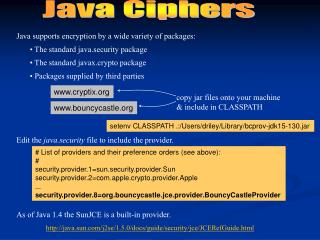
Java Ciphers copy jar files onto your machine & include in CLASSPATH Java supports encryption by a wide variety of packages: • The standard java.security package • The standard javax.crypto package • Packages supplied by third parties www.cryptix.org www.bouncycastle.org setenv CLASSPATH .:/Users/driley/Library/bcprov-jdk15-130.jar Edit the java.security file to include the provider. # List of providers and their preference orders (see above): # security.provider.1=sun.security.provider.Sun security.provider.2=com.apple.crypto.provider.Apple ... security.provider.8=org.bouncycastle.jce.provider.BouncyCastleProvider As of Java 1.4 the SunJCE is a built-in provider. http://java.sun.com/j2se/1.5.0/docs/guide/security/jce/JCERefGuide.html
1) 1) KeyGenerator generator = KeyGenerator.getInstance(“DESede”); KeyPairGenerator generator = KeyPairGenerator.getInstance(“RSA”); generator.init(new SecureRandom()); 2) Key key = generator.generateKey(); generator.initialize(2048, new SecureRandom()); 2) KeyPair keyPair = generator.generateKeyPair(); Java Key Generation The Java encryption packages include classes that are useful for generating keys. java.security.Key javax.crypto.KeyGenerator java.security.KeyPair java.security.KeyPairGenerator java.security.SecureRandom Two Steps for generating a new key (or pair) 1) Create generator key/pair by calling a static method named getInstance). 2) Call generateKey object, passing a random number. Sample Symmetric Code Sample Public-key Code
Ciphering in Java Four Steps for encrypting/decrypting 1) Create an encrypting object using javax.crypto.Cipher. (This is done by calling a static method named getInstance). 2) Call init on the Cipher object, passing the key & setting the mode to encrypt/decrypt. 3) Fill a byte array from plaintext to be encrypted (or ciphertext to be decrypted). 4) Call doFinal on the object, passing the byte array; this returns the result of encrypting/decrypting. • getInstance specifies algorithm via 1st argument String Algorithm/ChainingMode/Padding • getInstance specifies supplier via second (optional) argument
1) 1) Cipher encoder = Cipher.getInstance(“DESede/ECB/PKCS5Padding”); Cipher decoder = Cipher.getInstance(“DESede/ECB/PKCS5Padding”); 2) 2) decoder.init(Cipher.DECRYPT_MODE, key); encoder.init(Cipher.ENCRYPT_MODE, key); 3) 3) byte[] buffer = getCiphertext(); byte[] buffer = getPlaintext(); 4) 4) byte[] decodedMsg = decoder.doFinal(buffer); byte[] encodedMsg = encoder.doFinal(buffer); must be encoder.getBlockSize() or smaller Ciphering in Java Four Steps for encrypting/decrypting 1) Create an encrypting object using javax.crypto.Cipher. (This is done by calling a static method named getInstance). 2) Call init on the Cipher object, passing the key & setting the mode to encrypt/decrypt. 3) Fill a byte array from plaintext to be encrypted (or ciphertext to be decrypted). 4) Call doFinal on the object, passing the byte array; this returns the result of encrypting/decrypting. Symmetric Sample
1) Cipher encoder = Cipher.getInstance(“RSA/NONE/PKCS1Padding”, “BC”); 2) encoder.init(Cipher.ENCRYPT_MODE, keyPair.getPublic()); 3) byte[] buffer = getPlaintext(); 4) byte[] encodedMsg = encoder.doFinal(buffer); must be encoder.getBlockSize() or smaller RSA with BouncyCastle Four Steps for encrypting/decrypting 1) Create an encrypting object using javax.crypto.Cipher. (This is done by calling a static method named getInstance). 2) Call init on the Cipher object, passing the key & setting the mode to encrypt/decrypt. 3) Fill a byte array from plaintext too be encrypted (or ciphertext to be decrypted). 4) Call doFinal on the object, passing the byte array; this returns the result of encrypting/decrypting. Public-key Sample