Comprehensive Labor Schedule Hierarchy Report for Employee Assignments
The Labor Schedule Hierarchy Report provides a detailed overview of employee assignments across various organizational structures. It allows users to print notes pages by selecting the appropriate print options. The report includes three tabs: the first displays all employee assignments by organization, the second shows assignments along with their end-dates for new labor encumbrance generation, and the third lists all assignments for a specified employee, regardless of ownership. Understand potential reasons for payroll transactions going into suspense and gain insights into labor schedule management.

Comprehensive Labor Schedule Hierarchy Report for Employee Assignments
E N D
Presentation Transcript
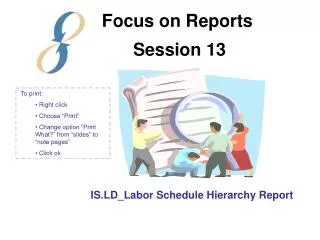
Focus on Reports Session 13 • To print: • Right click • Choose “Print” • Change option “Print What?” from “slides” to “note pages” • Click ok IS.LD_Labor Schedule Hierarchy Report
Purpose To show complete labor schedule for employees regardless of schedule type: • Element, • Element Group • Assignment, • Organization default, or • Suspense
Suspense Organization Default Assignment Element Group Element Labor Schedule Hierarchy
First tab: Shows all employee assignments owned by a specified organization.
Pull “Schedule Type” to page items to see schedules routed to suspense. • Note: Payroll transactions can go to suspense for other reasons than the schedule hierarchy . Other reasons include: • Any segment of the PTAEO is end dated • The award doesn’t fund the project • New transactions are not being accepted by PTAEO • Transaction controls , etc.
Second tab: Shows all assignments owned by a specified organization along with the end-dates that are used in the new labor encumbrance generation process.
Third tab: Shows all assignments for a specified employee regardless of which org owns the assignment.