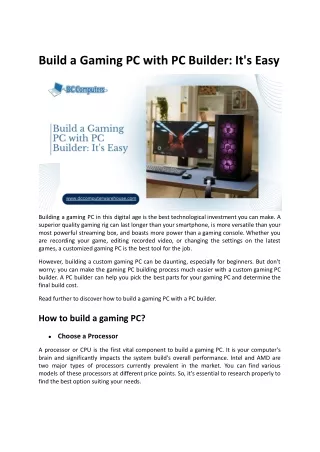
GAMING PC
best gaming pc best performance and experience


GAMING PC
E N D
Presentation Transcript
Your Ultimate Gaming PC Your Ultimate Gaming PC Buying Guide Buying Guide Welcome to the comprehensive guide for selecting your perfect gaming PC. Whether you're a seasoned gamer, an aspiring streamer, or simply seeking a powerful machine for your digital adventures, this guide is designed to clarify the complexities of PC hardware and help you make an informed decision. We'll cover everything from core components to budget planning, ensuring you build or buy a system that truly meets your needs.
Understanding Your Gaming Purpose Before diving into specifications, it's crucial to identify your primary use for the gaming PC. This foundational step will significantly influence your budget and component choices. Casual Gaming High-End Gaming Demanding graphics-intensive games such as Cyberpunk, Red Dead Redemption, or Call of Duty at ultra settings. Enjoying titles like Grand Theft Auto, Minecraft, or Valorant without needing maximum settings Esports & Competitive Streaming & Content Creation Running games whilst simultaneously streaming, recording, or engaging in video editing. Focusing on games like CS:GO, Fortnite, or PUBG, prioritising high refresh rates and minimal input lag.
The Brains of the Operation: CPU Selection The Brains of the Operation: CPU Selection The Central Processing Unit (CPU) acts as the 'brain' of your gaming PC, orchestrating all tasks and significantly impacting overall performance. A more powerful CPU means your system can handle complex calculations and multiple applications simultaneously with greater ease. Popular Gaming CPUs: Intel Core i5, i7, i9 series ● AMD Ryzen 5, Ryzen 7, Ryzen 9 series ● Our Recommendations: For budget gaming: Intel i5 or AMD Ryzen 5 offer excellent value. ● For high-end gaming and streaming: Intel i7/i9 or AMD Ryzen 7/9 provide superior processing power. ● Remember, more cores and higher clock speeds generally translate to better gaming performance.
Visul Powerhouse: The Graphics Card (GPU) Visul Powerhouse: The Graphics Card (GPU) The Graphics Processing Unit (GPU) is arguably the single most critical component for any gaming PC. It renders the stunning visuals you see on your screen, directly influencing frame rates and graphical fidelity. NVIDIA GeForce RTX AMD Radeon RX Leading the market with advanced ray tracing and AI- powered performance. Offering competitive performance and excellent value across various price points. Why Your GPU Matters So Much: Superior Graphics Quality: Experience games in their full visual glory. Higher FPS: Enjoy smoother, more responsive gameplay. Immersive Experience: Crucial for modern, graphically demanding titles. For any serious gaming endeavour, a dedicated GPU is not just recommended, it's essential. ● ● ● ●
Housing Your Hardware: Case & Cooling Housing Your Hardware: Case & Cooling A well-designed PC case and an efficient cooling system are vital for maintaining optimal performance and longevity for your gaming PC. Gaming PC Case Features: Airflow: Prioritise cases with excellent airflow design to prevent heat build-up. Fan Support: Multiple fan mounts for efficient heat dissipation. Space: Ample room for your GPU and cooling solutions. Cooling Options: Air Cooling: Effective and often more affordable for most systems. Liquid Cooling (AIO/Custom Loop): Superior cooling for high- performance builds, especially for overclocking. Effective cooling prevents thermal throttling, ensuring your components always perform at their best. ● ● ● ● ●
Budgeting & Building: Pre-Built vs. Custom Budgeting & Building: Pre-Built vs. Custom Budget Planning Pre-Built vs. Custom Gaming PCs span a wide price range. Defining your budget early is key to guiding your choices. ● Decide whether to purchase a ready-made system or assemble one yourself. Budget Gaming PC: Capable of running basic games competently. ● Pre-Built PC: Convenience, warranty, and professional assembly. Less customisation. ● Mid-Range Gaming PC: Handles most modern games at respectable settings. ● Custom-Built PC: Superior performance for the price, full customisation, and a rewarding building experience. ● High-End Gaming PC: For 4K gaming, virtual reality, and intensive content creation. ● Your technical comfort and desire for control will inform this decision. Allocate your budget wisely across components, prioritising the GPU and CPU.
Connecting the Components: Motherboard & PSU Connecting the Components: Motherboard & PSU Power Supply Unit (PSU) Power Supply Unit (PSU) The PSU provides stable power to every component in your PC. A reliable PSU is non-negotiable. Brand Quality: Always opt for reputable brands to ensure reliability. Wattage: Match the wattage to your components; 500W– 850W is common for gaming. Efficiency: Look for 80+ Bronze, Silver, or Gold certification for energy efficiency. A subpar PSU can severely damage your valuable components, so choose wisely. Motherboard Selection Motherboard Selection The motherboard is the central hub, linking all your PC components together. Ensuring compatibility is key. CPU Compatibility: Ensure the socket type matches your chosen processor. RAM Slots: Check for sufficient slots and support for desired RAM speed. Expansion Slots: For GPUs, sound cards, and other peripherals. Connectivity: Adequate USB ports, Wi-Fi, and Bluetooth support. Invest in a motherboard that allows for future upgrades. ● ● ● ● ● ● ● ●
Visual Powerhouse: The Graphics Card (GPU) Visual Powerhouse: The Graphics Card (GPU) NVIDIA GeForce RTX AMD Radeon RX Leading the market with advanced ray tracing and AI-powered performance. Offering competitive performance and excellent value across various price points. Why Your GPU Matters So Much: Superior Graphics Quality: Experience games in their full visual glory. Higher FPS: Enjoy smoother, more responsive gameplay. Immersive Experience: Crucial for modern, graphically demanding titles. For any serious gaming endeavour, a dedicated GPU is not just recommended, it's essential.SSS
Core Components: Cooling System Gaming PCs generate substantial heat, making an effective cooling system indispensable. Proper cooling prevents thermal throttling, extends component lifespan, and maintains optimal performance. Air Cooling (Fans) The most common and cost-effective method. Uses heatsinks and fans to dissipate heat from the CPU and GPU. Liquid Cooling (AIO/Custom Loop) Offers superior cooling performance by circulating liquid to draw heat away from components. Ideal for overclocking or high-end systems.
Define Your Gaming Purpose Before diving into components, understanding your primary usage is crucial. Different gaming needs dictate different hardware specifications and budget allocations. Streaming & Content Creation Casual Gaming Competitive Esports Gaming For titles like Minecraft, Valorant, or GTA, a mid-range PC often suffices, focusing on smooth performance rather than ultra-settings. Games such as CSGO, PUBG, or Fortnite demand high frame rates and low latency, requiring a focus on CPU and GPU power. Experience Cyberpunk, RDR2, or Call of Duty at their best with top-tier CPUs, GPUs, and ample RAM for stunning visuals. Requires powerful CPUs, plenty of RAM, and fast storage to handle gaming, encoding, and live streaming simultaneously.