Mastering CSS: Principles and Techniques for Effective Web Design
This chapter from "Principles of Web Design, Third Edition" delves into the fundamentals of Cascading Style Sheets (CSS). Learn how to build and implement CSS rules through inline, embedded, and external styles. Understand the importance of the cascade and discover basic to advanced selection techniques, including type selectors, grouping, descendant selectors, and class attributes. This essential guide empowers web designers to effectively control typography and layout, ensuring a cohesive and visually appealing website with efficient style management.

Mastering CSS: Principles and Techniques for Effective Web Design
E N D
Presentation Transcript
Chapter 6Introducing Cascading Style Sheets Principles of Web Design, Third Edition
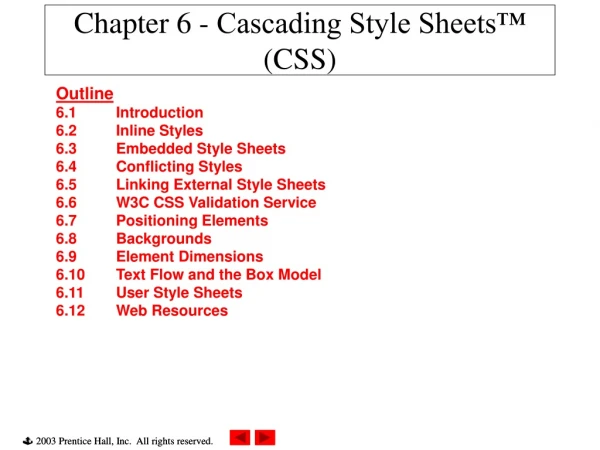
Objectives • Understand CSS style rules • Build a basic style sheet • Understand the cascade • Use basic selection techniques • Use advanced selection techniques
Understanding CSS Style Rules • Cascading style sheets offer much greater control over type characteristics than does the <font> element • You can use standard type conventions, such as using point or pixel sizes, settingleading, and specifying indents and alignment
Three ways of implementing CSS • Inline styles • with the style attribute • Embedded styles • with the <style> element • External style sheet • with <link> element
The style attribute (inline styles) • Defines a style for a single element • Generally used to override a style set at a higher level in the document for a single element • Only affects one instance of an element in a document
Syntax – style attribute <pstyle=“color: #666666; font-style: italic”> content goes here </p> • Note that there are quotes on either end of this attribute – just like all attributes • Separate styles with semi-colons
Embedded style sheet • Contained in the <head> section of the document • Uses the <style> element • Generally used to override a style set at a higher level in the document for a single document • Only affects the page in which it resides
<style> element syntax <style type=”text/css”> h1, h2 {color: green;} h2 {text-align: center;} </style> Note it requires a closing tag Principles of Web Design, Third Edition
External style sheet • Text document that contains style rules • Flexible! • One file can be used for your whole website • Update one file and your whole site changes • Does not contain HTML code
Linking an external style sheet • <link> element establishes document relationships • Placed in the <head> section • Tells the browser where to find the external style sheet • Link is an empty (self-closing) element
link element syntax <link href=“mainstyle.css” rel=“stylesheet” type=“text/css” /> • Goes in your <head> section • If you have multiple style sheets, you might want to store them in a separate styles folder.
CSS Style Rules • Style rules are composed of two parts: • selector • declaration • The selector determines the element to which the rule is applied • The declaration details the exact property values
Parts of the Declaration • The declaration contains • a property and • a value • The property is a quality or characteristic • The precise specification of the property is contained in the value • CSS includes over 50 different properties, each with a specific number of values
Understanding Basic Selection Techniques • Using type selectors • Grouping selectors • Combining declarations • Using descendant selectors
Using Type Selectors The following rule selects the H1 element:
Grouping Selectors The following rule selects the H1 and H2 elements: <style type=”text/css”> h1, h2 {color: green;} </style>
Combining Declarations The following style rules set the <p> element to 12-point blue text: p {color: blue;} p {font-size: 12pt;} These two style rules can be expressed in a simpler way: p {color: blue; font-size: 12pt;}
Indenting – Good practice <style type=”text/css”> p {color: blue; font-size: 12pt; font-family: arial,helvetica; font-weight: bold; } </style>
Descendant Selectors A descendant selector lets you specify the exact context in which a style is applied. To specify that <b> elements appear blue only within <p> elements, use the following rule: <style type=”text/css”> p b {color: blue;} </style>
CSS Comments • Starts with /* • Ends with */ • Can span multiple lines • Can be on the same line as CSS code /*this is a CSS comment*/
Understanding Advanced Selection Techniques • Using the class attribute • Using the <div> and <span> elements
Class Attribute Selector • Lets you write rules and then apply them to any number of elements or groups of elements. • Create a class by • declaring it within the <style> element first. • The period (.) flag character indicates that the selector is a class selector.
Using the class Attribute Selector .special {font-size: 10pt; font-weight: bold;} <p class=”special”>This is the first paragraph of the document. It has a different style based on the “special” class selector.</p>
Working With <div> element • lets you specify logical divisions within a document that have their own name and style properties • A block-level element. • Creates a line break before and after the • Needs a closing tag </div> • You can use <div> with the class attribute to create customized block-level elements
Working With <div> To create a division, declare it within the <style> element first. The following example specifies a division named introduction as the selector for the rule: <style type=”text/css”> div.introduction {color:red;} </style>
Working With <div> Next, specify the <div> element in the document. Then use the class attribute to specify the exact type of division. In the following example, the code defines the <div> element as the special class named “introduction.” <div class=“introduction”>Some text</div>
<span> - for inline styles • For specify inline elements within a document that have their own name and style properties • Inline elements go within the line of text, like the <b> element
Working with <span> To create a span, declare it within the <style> element first. The following example specifies a <span> element named “logo” as the selector for the rule: <style type=”text/css”> span.logo {color:red;} </style>
Working with <span> Welcome to the <span class=“logo”>Wonder Software</span> Web site.
Combining multiple style sheets • Combining CSS Rules with XHTML • Combining multiple style sheets • @import keyword • allows import of style rules from other style sheets • must precede all rules in style sheet or they will be ignored by the browser • Style rules contained within document take precedence over imported style rules • Weight of imported style sheets based on import order Principles of Web Design, Third Edition
Understanding the Cascade • Cascading mechanism of CSS determines which rules are assigned to document elements by assigning a weight based on four variables: • use of the !important keyword • origin of the rule • specificity of the selector • order of the rule in the style sheet Principles of Web Design, Third Edition
the !important keyword • Determining rule weight with the !important keyword • Allows user to override author’s style setting for a particular element • Improves accessibility of documents • gives control to users with special requirements Principles of Web Design, Third Edition
Rule weight – order of precedence • Determining rule weight by origin • Cascading order of precedence: • rules from author’s style sheet • rules from user’s style sheet • rules from Browser’s style sheet Principles of Web Design, Third Edition
Rule weight – by specificity • Determining rule weight by specificity • Rules with more specific selectors take precedence over rules with less specific selectors Principles of Web Design, Third Edition
Rule weight – by order • Determining rule weight by order • Based on order of rule within style sheet • Those listed later take precedence over those listed earlier in the style sheet Principles of Web Design, Third Edition
CSS - Understanding Inheritance • Based on hierarchical structure of documents • CSS rules inherit from parent elements to child elements: • thus <li> elements will inherit style rules from <ul> elements unless a style rule is specifically set for the <li> element Principles of Web Design, Third Edition
Summary • CSS rules can be combined with your XHTML code in a number of ways. CSS rules are easy to write and read. • CSS uses cascading and inheritance to determine which style rules take precedence. The !important declaration lets users override the author’s style rules.
Summary • Basic style rules let you apply style rules based on standard element selectors. • You can combine the selectors and declarations to create more powerful style expressions. • You can also select elements based on the contextual relationship of elements in the document tree.
Summary • The advanced selection techniques allow you to use the class attribute selector, which is often paired with the <div> and <span> XHTML elements. • These elements have no style of their own, but offer a convenient way of expressing style for any section of a document, whether block-level or inline. • Additionally, class allows you to choose a meaningful naming convention for your style rules.