1 / 0

Design Your Unique Logo: Personalize with Paint and Initials

Unleash your creativity by designing your own personal logo using Paint! Start by incorporating your first name or initials to create an eye-catching alphagram. Add vibrant colors that resonate with your personality and style. This fun project allows you to express yourself visually and create a memorable logo that reflects something meaningful about you. Whether for personal branding, social media, or just for fun, this is your chance to make a unique statement through design!

oriana
Download Presentation

Design Your Unique Logo: Personalize with Paint and Initials

An Image/Link below is provided (as is) to download presentation Download Policy: Content on the Website is provided to you AS IS for your information and personal use and may not be sold / licensed / shared on other websites without getting consent from its author. Content is provided to you AS IS for your information and personal use only. Download presentation by click this link. While downloading, if for some reason you are not able to download a presentation, the publisher may have deleted the file from their server. During download, if you can't get a presentation, the file might be deleted by the publisher.

E N D

Presentation Transcript


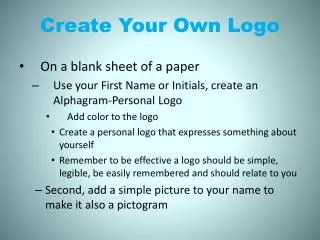
  1. Create Your Own Logo Create in Paint Use your First Name or Initials, create an Alphagram-Personal Logo Add color to the logo Create a personal logo that expresses something about yourself Remember to be effective a logo should be simple, legible, be easily remembered and should relate to you Second, add a simple picture to your name to make it a pictogram
  2. Business Card #1 Open Publisher Choose a Business Card template Create a Business Card for yourself: Your Name Street Address City, State, Zip Code Phone Number Use your personal logo and insert it onto the card
  3. Business Card #2 Open Publisher Choose a Business Card template Create a Business Card for: Dixon’s Crab Shack 123 Main St. North East, MD 21901 410-555-6768 Create a logo in Paint and insert onto the card
More Related