CS320n – Elements of Visual Programming
This presentation explores the concept of lists as a vital data structure in visual programming. It highlights their role in organizing multiple objects—such as characters in animations—and illustrates how to create and manipulate lists in programming environments like Alice. The session covers the creation of a list of chickens, methods of iterating through lists, and utilizing object part functions. By the end, participants will understand how to effectively use lists for grouping, managing, and animating collections of objects in a structured manner.

CS320n – Elements of Visual Programming
E N D
Presentation Transcript
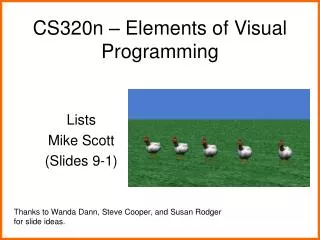
CS320n – Elements of Visual Programming Lists Mike Scott (Slides 9-1) Thanks to Wanda Dann, Steve Cooper, and Susan Rodger for slide ideas.
Collections • In some animations, several objects must perform the same actions • Example: • Cars in lanes from Frogger • In such situations, it is convenient to collect all the objects into a group (a collection) • Major benefit of Lists is we can write code for each object in the list • rather than separate code for each object Animation Programs
List • One way to organize objects into a collection is to use a list. • We use lists to help us organize things. For example, • assignments list • shopping list • email inbox • In programming, a list is known as a data structure. • an object that is used to group other objects together Animation Programs
Types of Lists • In Alice, a list can be a list of numbers or a list of objects, colors, or other type …. • In this session, we will use an example of a list of objects. Animation Programs
Example • Create a List of chickens • add 5 chicken objects to the world Animation Programs
Creating a list: Step 1 Create the initial world and add five chicken objects to the world. Then, create a new world-level variable in the properties panel. (Why should it be world-level rather than class-level?) Animation Programs
Creating a list: Step 2 In the popup dialog box, type in a name select Object type check “make a List” box click new item button 5 times to select each of the 5 chickens, one at a time Animation Programs
Resulting List • No change in the scene • We have simply added them to a list variable Animation Programs
Programming with a list • Now that a list has been created, how do we use the list in a program? • One of the most powerful operations with a list is to repeatedly perform some action with each item in the list. • This is called iteration or "iterating througha list." Animation Programs
Iterating through a list • Iteration can be done in two ways: • in order (one at a time) • all together (simultaneously) Animation Programs
Example/Demo: Iteration in Order • Have each chicken say hello • Have each chicken kicks its legs Animation Programs
The “Object’s part named X” function • One problem when passing Objects as parameters is how do I affect a sub part? • If the parameter type is simply Object subparts are unknown • Same problem with elements of a list • Use the Object’s part named X function Animation Programs
Part named function • Get "in order" operation for list • Drop in a Chicken object • Pick functions for Chicken Object and drag the part named function to replace the Chicken object Animation Programs
Part Named Function • Select which part • Pick other and type in name of sub part Animation Programs
Part Named function • Replace Chicken object with item_from_chickens • Final version Animation Programs
Example / Demo: Iteration Together • Change the previous animation so that the chickens move their legs together Animation Programs