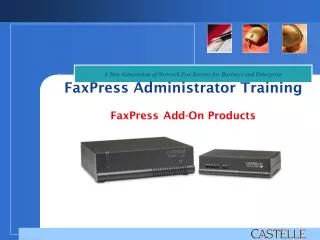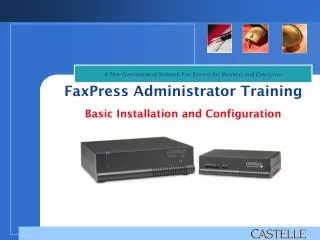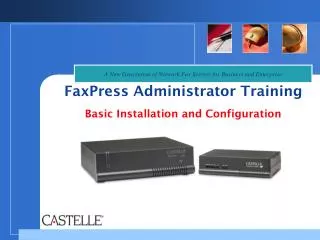
FaxPress Administrator Training Basic Installation and Configuration
410 likes | 530 Views
This training session focuses on educating VARs/Partners about Castelle's Network Fax Servers and provides hands-on training for FaxPress installation and configuration. Participants will learn about the complete fax solution, installation requirements, and integration capabilities with various hardware. The agenda includes demos of server and client installations, basic configuration, and sending/receiving faxes, along with a Q&A session to address any queries.


FaxPress Administrator Training Basic Installation and Configuration
E N D
Presentation Transcript
A New Generation of Network Fax Servers for Business and Enterprise FaxPress Administrator TrainingBasic Installation and Configuration
A New Generation of Network Fax Servers for Business and Enterprise The purpose of this training is to provide our VARs/Partners education and knowledge of Castelle Network Fax Servers as well as the opportunity to have training of FaxPress installation and configuration.
Technical Support (6AM – 5PM PST) Phone: (408) 852-8080support@castelle.com sdk@castelle.com Pre-Sales Support Darius Rike Phone: (408) 852-8016Fax: (408) 852-8116 drike@castelle.com Support Contacts Darin McGinnes Phone: (408) 852-8065Fax: (408) 852-8165 dmcginnes@castelle.com
Web Training Agenda Basic Installation and Configuration June 12, 2007 8AM – 9AM • About Castelle • FaxPress Overview • Installation Requirements • Demo - Server Installation • Demo - Client Installation • Basic Configuration • Demo – Sending/Receiving Faxes • Q&A
About Castelle “The All-in-One Fax Solution for Business and Enterprise” • Complete network fax solution • Includes all necessary hardware and software • Desktop PC faxing • Fax-to-Email integration • Production faxing • Workflow and Document Management Integration • Integration with Scanners and Multi-Function Printers (MFP) • Tools for developing custom fax applications • Support for leading network environments
Corporate Partners Multi-Function Printers (MFP) and Scanners • Hewlett Packard • Xerox • Canon • Ricoh • Sharp File Management and Document Storage • Liberty IMS • Westbrook • Documentum • Paperwise Forms Text Overlay • FabSoft • EFS Technology
Corporate Partners Customer Relationship Management • FrontRange Goldmine Telephony Devices and PBX Systems • Inter-Tel • 3Com • Avaya • Cisco • Toshiba • Adtran • NEC and more
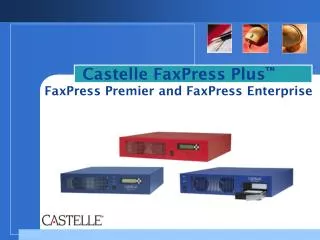
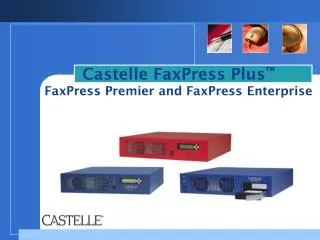
FaxPress Overview • FaxPress Server • Diskless appliance • FaxPress requires shared storage from a host machine • Logs into the Share as a network user to access it own files • Boot PROM • Only code inside the box when turned off • Hardware self test (LED sequence) • Includes networking drivers • Loads “sys” and “out” file from Host File Server to its own memory • All files live in the Castelle directory on the Host File Server
New Features of FaxPress 9.0/9.05 • New Interface - same interface used by FaxPress Plus • MSI Installer – use Group Policy to install client • New MFP Integration • EFI SendMe • Ricoh GlobalScan • Sharp OSA2 Platform • Windows Vista and Office 2007 compatibility
Installation Requirements Host Machine • Shared storage can be an existing workstation or server • Static IP address recommended for host machine • Administrative rights to install FaxPress software • IP teaming (network load balancing) not supported
Installation Requirements Host Machine • Minimum Hardware: • Intel Pentium III or equivalent 500MHZ or faster • 256MB of system memory • 100MB of HD, depends on volume of fax • Estimate 100K per fax page • 100 pages = 10MB • 1000 pages = 100MB • 10,000 pages = 1GB
Installation Requirements Host Machine • Supported Platforms: • Windows 2000/XP/2003 – TCP/IP • Netware 5.x/6.x Bindery/NDS – IPX/SPX or TCP/IP
Installation Requirements • Windows 2000/XP/2003 • Special Considerations: • FaxPress installation creates a local user and group • If Windows XP is using simple file sharing then “Enable network users to change my files” must be checked on the “Share” tab under the Castelle directory properties • NetBIOS over TCP/IP must be enabled • Windows 2003 Server install requires FaxPress firmware at version 7.0
Installation Requirements • Netware NDS • Special Considerations: • Netware Client on Computer running installation (Microsoft Client for Netware will not work) • “Read Write Replica” enabled on Host File Server • Administrative rights to context in which FaxPress user to be created • Administrative rights to context in which the Host File Server exists • Novell Core Protocol (NCP) Level 3 not supported
Installation Requirements FaxPress Unit • 10/100 BaseT network connection • Analog loop start phone lines • FaxPress needs static IP address • Server setup run on same network segment as FaxPress
Installation Requirements • Client Machines • Faxmain client installed on user’s workstation • Administrative rights to install FaxPress software
Installation Requirements Client Machines • Minimum Hardware: • Intel Pentium III or equivalent 500MHZ or faster • Minimum 64MB of system memory • Minimum 50MB of HDD
Installation Requirements Client Machines • Supported Platforms: • Windows 2000/XP/2003/Vista – TCP/IP
FaxPress Installation • FaxPress Installation: • Server Installation Demo • Client Installation Demo
FaxPress Server Installation Demo - Fax Press Server Installation
FaxPress Server Installation • Common Errors: • Can’t find FaxPress on network • Can’t create user and group on host machine • Can’t set IP Address to the FaxPress device • Installing on Windows Host Machine: • LAN Manager Authentication Level? • Windows XP Firewall enabled? • Complex password rule for Windows 2003 environment? FaxPress Server Installation Troubleshooting Scenario
FaxPress Server Installation Troubleshooting Scenario • What’s going on??? • Computer Management Tools • View Users/Groups • View File/Folder permissions • View connected users and files in use • FP Configurator • View FaxPress Server settings • Change IP addresses • Change login password for S/N User
FaxPress Client Installation Demo - FaxPress client Installation
FaxPress Configuration Basic Server Configuration
FaxPress Configuration FaxPress Configurations: • Defaults mostly OK • Done through FaxPress client • Need Supervisor privileges
Basic FaxPress Configuration Fax Line Settings • Set remote and terminal ID and local fax number per fax line • PBX Pre-Dial (9, 8, etc) up to 5 characters • #of rings to answer (how many rings before FaxPress answers the incoming fax call) • Set line direction. Select “Not Connected” if no fax line connected
Basic FaxPress Configuration Fax Line Settings • Routing Type • Assign Line to User (default is Unaddressed but can be different for each line). • DTMF (manual routing by the sender using DTMF tones) • DID/PBX (FaxPress will listen for DTMF tones of DID extention)
Basic FaxPress Configuration Line Settings
Basic FaxPress Configuration Storage Reclamation • Need to enable “Automatic Clean up” • Only received faxes deleted by “Purge old faxes…” option. • Best option is to use the FaxPress Archive service
Basic FaxPress Configuration Storage Reclamation
Basic FaxPress Configuration Dialing Properties • Select Country code and enter area code • Enable dialing PBX access codes • Enable PBX pre-dial per local or long distance • Apply dialing rules for fax numbers • Area Code Rules applicable only for US and Canada
Basic FaxPress Configuration Dialing Properties
Basic FaxPress Configuration Creating FaxPress Users • Supervisor can add users manually through client • Need to configure user properties • Can base new users on an existing configured user account
Basic FaxPress Configuration Adding Users Manually
Sending and Receiving Faxes Sending a Fax • Sending a fax via FaxPress client • Using the Send Fax Interface Receiving a Fax • Automatic vs. manual Incoming fax routing • Unaddressed folder • Incoming Fax Queue
Sending and Receiving Faxes Demo – Sending an Receiving a fax
FaxPress Q&A Presentation available at: ftp://ftp.castelle.com/Pub/Sales%20Eng/Darin/FaxPress%20Administrator%20Training/