Free SPF Online Training
20 likes | 139 Views
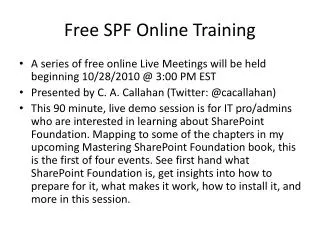
Join our free online training series starting on October 28, 2010, at 3:00 PM EST. This 90-minute live demo, presented by C.A. Callahan (@cacallahan), is tailored for IT professionals and administrators eager to learn about SharePoint Foundation. This introductory session covers essential aspects, including installation, functionality, and preparation for the platform. It also maps concepts to chapters from the upcoming book, "Mastering SharePoint Foundation." Participate in an engaging live meeting and unlock your understanding of SharePoint Foundation today!


Free SPF Online Training
E N D
Presentation Transcript
Free SPF Online Training • A series of free online Live Meetings will be held beginning 10/28/2010 @ 3:00 PM EST • Presented by C. A. Callahan (Twitter: @cacallahan) • This 90 minute, live demo session is for IT pro/admins who are interested in learning about SharePoint Foundation. Mapping to some of the chapters in my upcoming Mastering SharePoint Foundation book, this is the first of four events. See first hand what SharePoint Foundation is, get insights into how to prepare for it, what makes it work, how to install it, and more in this session.
SharePoint Foundations C.A. Callahan has invited you to attend an online meeting using Live Meeting. Audio Information Computer Audio To use computer audio, you need speakers and microphone, or a headset. First Time Users: To save time before the meeting, check your system to make sure it is ready to use Microsoft Office Live Meeting. Join the meeting Troubleshooting Unable to join the meeting? Follow these steps: 1. Copy this address and paste it into your web browser: https://www.livemeeting.com/cc/mvp/join 2. Copy and paste the required information: Meeting ID: F3F92M Location: https://www.livemeeting.com/cc/mvp If you still cannot enter the meeting, contact support Notice Microsoft Office Live Meeting can be used to record meetings. By participating in this meeting, you agree that your communications may be monitored or recorded at any time during the meeting.