Download
1 / 16
160 likes | 301 Views
This guide dives into the intricacies of SAS macro programming, offering insights into when and why to utilize macros, including repetitive code execution and conditional operations. Learn about the differences between macro variables and defined macros, scope issues, debugging tools like MPrint, Symbolgen, and MLogic, and the pitfalls of uninitialized macro variables. With practical examples and tips on avoiding common mistakes, this resource serves as a comprehensive reference for enhancing your SAS programming efficiency.

E N D
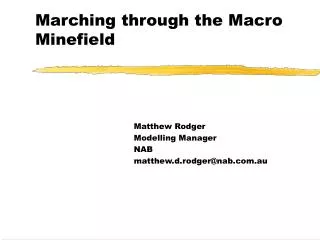
Marching through the Macro Minefield Matthew Rodger Modelling Manager NAB matthew.d.rodger@nab.com.au
Why use macros • If you have repetitive code (%DO i=1%TO &noruns %BY1;) • If you want conditional code (%IF &run=y %THEN%DO;) • Creating macro functions that can be re-used for other programs (%MACRO mymacro(parm1,...,parmn); ...%MEND;).
Macro variables • Macro variables are different to defined macros and the two should not be confused • To create a macro variable, you can use %LET or CALL SYMPUT or PROCSQL. For example%LET presentation_date='05Mar2007'd; • Also defined in macro loops (be careful with nested loops) • Be careful of variable scope
Macro variable uninitialised • This is a standard error308 %LET y=&t;WARNING: Apparent symbolic reference T not resolved. • You may be sure that you have defined the variable, but how can you be sure that it is actually defined? • It could also be a scope problem.
Macro variable uninitialised • In some cases, you may wish the macro string to be resolved in an actual string, to do this, your string must be enclosed by double quotes. • If you use single quotes, then you will get & and the macro variable name, not the contents of the macro variable.
Macro variable scope • If a macro variable is defined within a macro, it will only be known within that macro • If you want to see this macro variable outside of the macro, then you will need to use %GLOBAL • Inside a macro, you can see all global macro variables and you CAN change them, so be careful. • Don’t start macro variable names with SYS as there are many already defined
Standard de-bugging tools • MPrint – All a macro essentially does is write SAS code. So by using the MPrint option, SAS will write in the log, the SAS code being executed • Symbolgen – This is what a macro variable and macro token resolve to • MLogic – This should display the results of a macro condition or loop i.e. %IF &run=y %THEN%DOor %DO j=1%TO &numvars.
Standard Debugging tools • To turn these debugging tools off, then you can use OPTIONS NoMPrint NoSymbolgen NoMLogic • To know if these settings are on, then look in SASHELP.VOPTION • You can also use %PUT to put the value of a macro variable into the log. You don’t need a datastep to this, unlike a normal PUT, so this is very handy. • For example: %PUT &y
Can I find a list of what all of my macro variables resolve to? • You can, plus all system defined macro variables. • In the SASHELP library, there are views and datasets with all sorts of useful SAS settings information in it. The file we are after is SASHELP.VMACRO • We can use this dataset to determine whether a variable has actually been declared and what value it takes
I thought that comments were good • They are, but be very careful about how you type comments in a macro. • If you have a single quote (‘) in a * comment, then you will a unfinished quote and you code will not compile. • In a macro, it is best to use %* style comments
Special macro functions • If you use %STR, then you won’t get the SAS meaning, you will just get the string instead • You can use %EVAL and %SYSEVALF if you want to evaluate an equation which involves a macro variable and dump the resulting output.
What happens if the compiled macro name is not resolved and I want to know if it exists? • Your macro names are stored in a format. You can use PROCCATALOG and PROCSQL to determine what macros you can use.
Another common mistake is to confuse macro code with standard SAS code • For example, you might use IF instead of %IF. • In some cases, your macro will compile and appear to work as it is not a syntax error. • This is a logical error and can be very hard to debug. • Normal SAS code is not chromocoded in SAS macros
Additional white space in a macro string can be annoying • Using CALL SYMPUT and PROCSQL can assign a macro variable with additional whitespace. • You can instead use CALL SYMPUTX. • Code demonstration
Errors in defined macro • If you have errors in your defined macro, then in some cases SAS will define a dummy macro. Other cases, it will not be compiled until there are no syntax errors.