Understanding Basic HTML Structure for Web Development
180 likes | 293 Views
Learn how to define a webpage structure in HTML, focusing on content rather than design. Explore tags for text, lists, effects, and tables. Follow key steps for creating and sharing web pages.


Understanding Basic HTML Structure for Web Development
E N D
Presentation Transcript
HTML Basics 18 January 2011
How a Computer Works • Question: What film character is a good analogy to a computer? • Answer • It is actually a very simple machine: It executes exactly what it is told to do
Viewing a Web Page SERVER web page repository WEB PAGE instructions stores information and instructions BROWSER retrieves web page and follows instructions 2 1 3 Server Client Web Server Pages Browser
Creating Web Pages • To create your page, we will use Komodo Editor • To share your web page, we will use the UNC SERVER, ISIS (http://help.unc.edu/?id=108) • To transfer your page to ISIS, we will use Filezilla
Keys to Success • Simple steps • Create your home page locally • Transfer pages • Test it from another machine • Have ONE folder where you always work locally • Be sure that you have the current version of your page
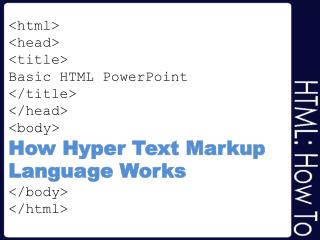
General Page Structure <html> <head> <! --- most important item in head is the title --- > <title>Put your title here</title> </head> <body> <! --- body is where the “good stuff” is --- > What will appear on the page <br /> Here … and there </body> </html>
HTML Defines STRUCTURE • HTML should be used for defining WHAT is on the page NOT how it LOOKS • Why? • Consistency • Alternate presentation
General Rules • Two types of commands • Single commands < command /> • Start/end commands <c> .. </c> • Tags can have additional information associated with them – attributes <command attribute=…> … </command> • command-specific attributes • generally applicable like class • Blank lines and spaces don’t matter
Text • Regular text = paragraph • <p> … </p> • Headers • h1 thru h6 • NOT order • Different styles • Long quote • <blockquote> </blockquote>
Lists • Unordered • Bulleted <ul> <li> </li> </ul> • Ordered • Numbers or letters <ol> <li> </li> </ol> • Definition • Terms & definitions <dl> <dt> </dt> <dd> </dd> </dl>
Effects • Exception to formatting: • use for simple emphasis within paragraph • Bold <b> … </b> • Italic <i> … </i> • Underline <u> … </u>
“Mouse Over” • Two commands • <abbr title=“long version”>short</abbr> • <acronym title=“expand”>EXP</acronym> • Generally the same • Difference for text-to-speech • <abbr> letter-by-letter • <acronym> word-like
Tables • Required • Table <table> </table> • Row <tr> </tr> • Data <td> </td> • Optional elements • Header (replaces data) <th> </th> • Caption <caption> </caption> • Thead <thead> (contains rows) </thead> • Tfoot <tfoot> (contains rows) </tfoot> • Tbody <tbody> (contains rows) </tbody> • REQUIRED if thead or tfoot • Can contain anything • Other tables • Pictures • …
Structuring a Page • Tables • Divs
HTML Web Resources Practice http://www.w3schools.com/html/default.asp Additional Tutorials http://www.htmlcodetutorial.com/ http://www.opensourcetutorials.com/tutorials/Client-Side-Coding/HTML/basics-of-html/page1.html Cheat Sheet: Bare Bones Guide to HTML http://werbach.com/barebones/download.html