Download
1 / 3
0 likes | 0 Views
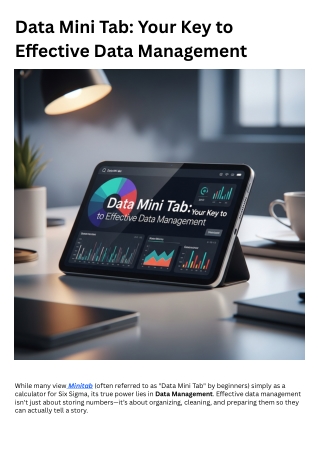
<br>While many view Minitab (often referred to as "Data Mini Tab" by beginners) simply as a calculator for Six Sigma, its true power lies in Data Management. Effective data management isn't just about storing numbersu2014itu2019s about organizing, cleaning, and preparing them so they can actually tell a story.

E N D
Data Mini Tab: Your Key to Effective Data Management While many viewMinitab (often referred to as "Data Mini Tab" by beginners) simply as a calculator for Six Sigma, its true power lies in Data Management. Effective data management isn't just about storing numbers—it’s about organizing, cleaning, and preparing them so they can actually tell a story.
Minitab transforms "raw data" into "managed insights" through a structured workflow that ensures your conclusions are based on solid evidence. 1. Data Hygiene: The Foundation of Analysis The biggest hurdle in data management is "dirty data"—missing values, inconsistent formatting, or outliers. Minitab offers specialized tools to handle these issues faster than a standard spreadsheet: Recode Tools: Instantly change "M" to "Male" or "1" to "Pass" across thousands of rows without manual find-and-replace. Data Cleaning: Use the Conditional Formatting and Identify Outliers tools to highlight data points that look suspicious before you run your report. Stacking/Unstacking: Easily reorganize your data from "wide" formats (multiple columns for different trials) to "long" formats (one column for all results) which is required for advanced statistical testing. 2. Visual Data Management A key part of managing data is seeing it. Minitab’s "Graphboard" and "Worksheet" views allow you to interact with your data visually. Brushing: This unique tool allows you to click a point on a graph (like an outlier), and Minitab will instantly highlight exactly which row in your spreadsheet that data point came from. Dynamic Linking: If you update a number in your worksheet, all associated charts and analysis results update automatically. This ensures your "Data Management" is always in sync with your "Data Reporting." 3. The "Assistant" as a Management Tool If you are managing a team or a complex project, the Minitab Assistant ensures that everyone follows the same data management protocol. It provides: Pre-analysis Checklists: Ensuring your sample size is large enough. Assumption Reports: Managing risk by checking if your data is normal before you trust a P-value. Clear Summaries: Translating complex statistics into executive-ready reports. Minitab vs. Standard Spreadsheet Management
Management Task Standard Spreadsheet Minitab Data Integrity High risk of broken formulas Hard-coded statistical algorithms Versioning Multiple "Save As" files Structured "Project Files" (.MPJ) Traceability Difficult to see how a result was found Session Window tracks every command Speed Manual chart building One-click standardized reporting 4. Managing Quality: SPC and Capability Effective management in a technical environment means managing variance. Minitab provides the specific tools to do this: Control Charts: To manage the stability of your process over time. Gage R&R: To manage the quality of your measurement system (detecting if your "rulers" or "scales" are actually accurate). The Ultimate Goal: Data-Driven Decisions Effective data management with Minitab moves you away from "I think the process is improving" toward "The data shows a 15% reduction in variance with 95% confidence." It provides the structure necessary to manage high-stakes projects with total transparency.