Download
1 / 1
10 likes | 150 Views
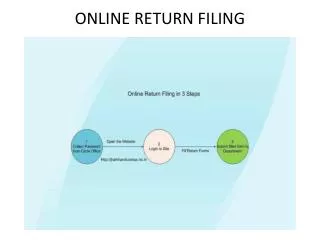
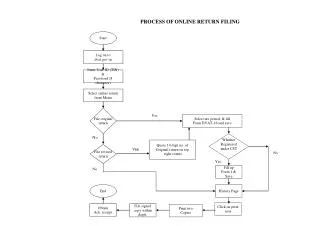
This guide provides a detailed process for filing online returns on the DVAT (Delhi Value Added Tax) portal. Start by logging onto dvat.gov.in with your User ID (TIN) and password (8 characters). Navigate to "Online Return" from the menu and select "File Original Return." Fill out the DVAT-16 form for the selected tax period and save. If applicable, quote the 14-digit number for original returns and follow up with a revised return if necessary. Print two copies of the acknowledgment receipt and file the signed copy with the department.

E N D
PROCESS OF ONLINE RETURN FILING Start Log on to dvat.gov.in Enter User ID (TIN) & Password (8 character) Select online return from Menu File original return Yes Select tax period, & fill Form DVAT-16 and save No Whether Registered under CST Quote 14 digit no .of Original return on top right corner File revised return Yes No Yes No Fill up Form 1 & Save End History Page Click on print icon Obtain Ack. receipt File signed copy within deptt. Print two Copies