Providing Access for Students with Disabilities
100 likes | 225 Views
Join Holly Zuckerman, Access Coordinator, as she introduces the Disability Resource Center's mission and services. Learn why providing accessibility is essential, how we can assist you and your students, and practical tips for making your classroom inclusive. Discover the accommodation process, the most common accommodations available, and resources like alternative text formatting and adaptive technology. Empower yourself to support all students effectively while ensuring compliance with ADA Title II regulations. Together, we can create an accessible learning environment!

Providing Access for Students with Disabilities
E N D
Presentation Transcript
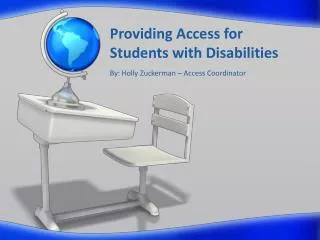
Providing Access forStudents with Disabilities By: Holly Zuckerman – Access Coordinator
Goals • Introduce you to who we are and what we do. • Explain why we do what we do. • Share how we can help you and your students. • Give you tips on what you can do to make your class accessible.
Our Staff http://www.utc.edu/disability-resource-center/profiles/
Why We Are Here • Law: Title II of the ADA • http://www.ada.gov/t2hlt95.htm • Liability may rest with individuals and/or the institution as a whole. • We’re the experts!
The Accommodation Process • Always begins with disclosure by the student. • Accommodation Letter • Student’s right to exercise. • “Student Responsibility Model” holds students accountable for accommodation process.
Most Common Accommodations • Extended testing time • Testing in a distraction reduced environment • Use of a digital recorder/note taker in class • Alternative text format • Priority seating • Use of laptop/tablet in class • C-Print captioning/captioned media • Priority registration
Process for Exam Accommodations • Proctor Form • http://www.utc.edu/disability-resource-center/pdfs/proctorform2013.pdf • Students must submit 3 days prior to exam date • More information regarding responsibilities and procedures • http://www.utc.edu/disability-resource-center/current-students/testing-information.php
DRC Resources • Alt. text formatting • In-house captioning of all types of media • Braille embossing • Adaptive technology software • Smart Pens • Digital recorders • Fully accessible computer lab • More!
Universal Design • What is it? http://www.washington.edu/doit/Resources/udesign.html • How can you implement it? Be Proactive!
Questions? Contact us anytime! 425-4006