Download
1 / 29
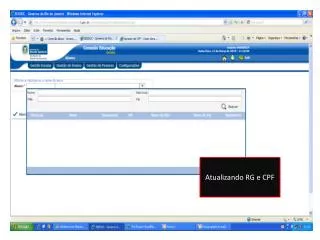
Atualizando RG e CPF
290 likes | 410 Views
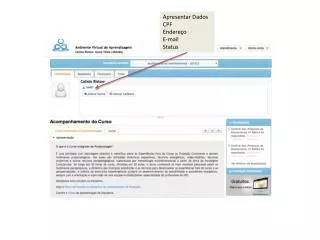
Atualizando RG e CPF. Busque o aluno. selecione. Click para editar os dados. Confirme os dados em negritos. Edite e confirme os dados de CPF e RG. CPF. RG. Antes de Confirmar verifique todos os itens em negrito. confirme.

Download Presentation 
Atualizando RG e CPF
An Image/Link below is provided (as is) to download presentation
Download Policy: Content on the Website is provided to you AS IS for your information and personal use and may not be sold / licensed / shared on other websites without getting consent from its author.
Content is provided to you AS IS for your information and personal use only.
Download presentation by click this link.
While downloading, if for some reason you are not able to download a presentation, the publisher may have deleted the file from their server.
During download, if you can't get a presentation, the file might be deleted by the publisher.
E N D
Presentation Transcript
CPF RG
Após confirmar o cadastro do aluno, a aba responsáveis, irmãos e opções da unidade de ensino ficará habilitada. Possibilitando assim editar os dados a seguir: CLick com o auxílio do mouse em responsáveis
Caso o responsável tenha outro filho cadastrado anteriormente no sistema Click aqui ou Enter
Digite o nome Click em buscar
Cadastre os dados do responsável
PARA EXCLUIR UM DOS RESPONSÁVEIS, SELECIONE E CLICK EM EXCLUIR












More Related