Download
1 / 16
160 likes | 281 Views
Welcome to the HCOE Premium Services Portal! To access exceptional resources, navigate to http://www.humboldt.k12.ca.us/premium. Follow these steps to log in: enter your last name and HERC user number, then click LOGON. Look for the golden apple or key symbols to identify premium services exclusive to contracting districts. Explore multiple links including HERC Services, School Support, and Technology Support resources. For assistance, contact Marca Kime at 445-7076. Log on and discover the range of premium services available.

E N D
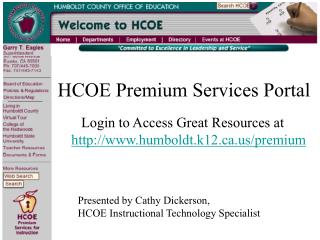
Premium Services Portal HCOE Premium Services Portal Login to Access Great Resources at http://www.humboldt.k12.ca.us/premium Presented by Cathy Dickerson, HCOE Instructional Technology Specialist
Symbols to Look for Click on the golden apple symbol in the gray navigation area at the lower left corner of the window. Or click on the gold key symbol on any HCOE Web page identifying a premium service available only to contracting districts.
Logon Step 1 Enter your last name dickerson
Logon Step 2 Enter your HERC user number dickerson …
Logon Step 3 dickerson Click LOGON …
Premium Services Welcome Links from this page to: • HERC Services • School Support Services • Technology Support Resources • More Premium Services as available
Spectrum -- HERC Online Catalog • Search for books, media, Web sites • View and mark items, link to Web sites • Print or E-request lists and items
Video On-Demand United Streaming now includes Digital Curriculum resources
To Access Premium Services … • See your school office for HERC user numbers. • See the HCOE Professional Development listing for classes and trainings including integrating video on-demand into teaching and learning. • Contact Marca Kime at 445-7076 for assistance with log-on or other access questions.
Logon and Explore! Log On and Explore!