Java Control Flow: Selection and Iteration
Learn about control structures in Java programming, including if-else statements, compound statements, logical operators, switch statements, and examples. Explore syntax, conditional and logical operators with Boolean type and operator precedence. Get prepared for your Java programming exams.

Java Control Flow: Selection and Iteration
E N D
Presentation Transcript
Selection (if-then-else) • Programming Has 3 Types of Control: Sequential (normal): Control of Execution Proceeds One after the Other Selection (if-then-else): Control Proceeds Dependent on Conditions Iteration (looping): Control Repeated until Condition Met
JAVA if Statement Syntax • Syntax if (condition)statement; • If Condition Is True, Statement Is Executed • If Condition Is False, Statement Is Not Executed • If Multiple Actions Are Required for Statement, a Compound Statement Must Be Used: if (condition) { statement; statement; }
Conditional Operators • Relational Operators: < , > , >= , <= • Equality Operators: == , != • NOTE: Cannot use Equality Operators with Strings; must Use .equals() : if (lastName.equals(“Li”))…
Selection Examples if (age < 30) System.out.println( “You are very very Young”); if (grade == ‘A’) System.out.println(“Congratulations!” ); if (grade != ‘F’) System.out.println(“You passed!” ); if (studentName.equals(“No Student”)) System.out.println(“Student Not Registered”);
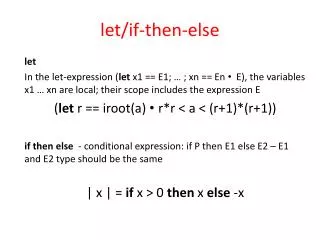
else Statement • Syntax: • if (condition) • { • statement(s);//condition true • } • else • { • statement(s);//condition false • }
if-else Example • if (myGrade >= 60) • { • System.out.println(“You passed!” ); • } • else • { • System.out.println(“How about them Cubs?” ); • }
Compound Statements • Compound Statement: One or More Statements within a Set of Curly Braces • Must Use Compound Statement if More than One Statement Is Supposed to be under Control of if or else Conditional • Include Curly Braces after if so if other Statements Are Added in Future, Curly Braces Are Already There
Nested if Statements if (myGrade >= 80) if (myGrade >= 90) System.out.println(“You have an A!” ); else System.out.println(“You have a B!” ); else System.out.println(“We’ll give you a C.” );
if/else (Cascaded) • Sequence of if/else Statements • Example: if (myGrade > 90) System.out.println(“You have an A!” ); else if (myGrade > 80) System.out.println(“You have a B!” ); else if (myGrade > 70) System.out.println(“You have a C!” ); else System.out.println(“Oh-oh!” );
Boolean Type • A Boolean Value Is One of Either “True” or “False” • In JAVA, Type boolean • Example: boolean done = false; . . . if (currentLetter == ‘Z’) done = true; . . . • if/else Conditionals Must Evaluate to True or False, and Are Therefore Called Boolean Expressions
Logical Operators • A Logical Operator Is One Used to Further Specify True or False in an Expression • Connects Two or More Expressions Together • && Is Logical “AND” • || Is Logical ‘OR” • &&: Both Operands Must Be True for Entire Expression to Be True • ||: Only One (or Both) of the Operands Must Be True for Entire Expression to Be True
Logical Operators if (numStudents > MIN && numStudents < MAX) classRun = true; if (numStudents > MAX || numInstructors == 0) classRun = false;
Operator Precedence • () • ! (not) • *, /, % • +, - • <, <=, >, >= (Relational Operators) • ==, != (Equality Operators) • && (Logical AND) • || (Logical OR) • = (ASSIGNMENT)
Order of Operations • Precedence: Level of Importance of Operations Multiplicative Operators Have Higher Precedence than Additive Operators: *, /, % Higher +, - Lower • Associativity: Order of Operation for Equal Level Precedence Most Operators Have Left-to-Right Associativity Use Parentheses to Force Differing Precedence of Operations
Multiple Logical Operators if ( num1 > MAX || num2 == 0 && num3 == 0) System.out.println(“ num1 is MAX or something is 0”); System.out.println(“ I think…..” );
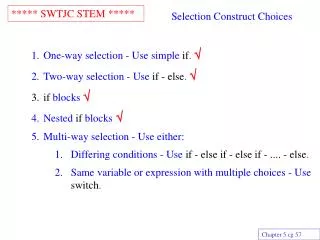
Switch Statements • Also Called Switch/Case Statement • Just Case in Other Languages • Selects Among Several Different Actions • Can Only Select from Integer or Character • If an Integer Value Is Matched, Statements under Control of that Case Block Are Executed
Switch/Case Example int numPassengers; System.out.print(“ Enter Passengers: “); numPassengers = scan.nextInt(); switch(numPassengers) { case 2: rate = BASERATE * 0.80; break; case 4: rate = BASERATE * 0.75; break; case 5: rate = BASERATE * 0.55; break; default: rate = BASERATE; break; }
Switch Case Example char menuItem; String inputS; System.out.print("Enter Menu Selection: “); inputS = scan.next(); menuItem = inputS.charAt(0); switch(menuItem) { case 'O': case ‘o’: //Code to Order Something break; case 'C': case ‘c’: //Code to Checkout break; default: //Error Code break; }
Announcements • Exam 1 Next Week Thursday • Everything through Lab 5 • 50 minutes • 15 % of Total Grade • Covers Everything through Lecture this Week • Quiz 1 Topics (terminology, variables, constants, basics) • if-then-else • Compound statements • Relational operators • Logical operators • Switch/Case Statements