How to Display Maintenance Plans in SAP R/3 Using Transaction Code IP16
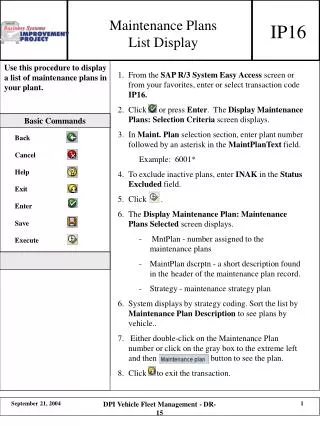
This guide outlines the steps for displaying maintenance plans in the SAP R/3 system using transaction code IP16. Begin by accessing the Easy Access screen and entering IP16. On the Display Maintenance Plans Selection Criteria screen, input the plant number followed by an asterisk in the MaintPlanText field. To exclude inactive plans, enter 'INAK' in the Status Excluded field. After executing, a list of selected maintenance plans will appear, sortable by description or strategy. Double-click a plan number to view detailed information or exit the transaction when finished.

How to Display Maintenance Plans in SAP R/3 Using Transaction Code IP16
E N D
Presentation Transcript
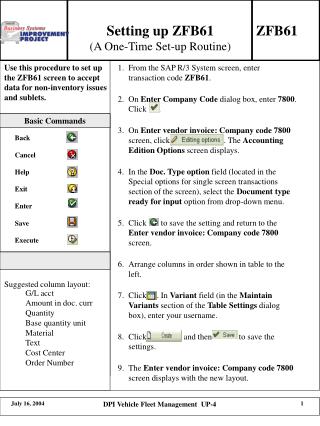
Maintenance Plans List Display IP16 1. From the SAP R/3 System Easy Access screen or from your favorites, enter or select transaction code IP16. 2. Click or press Enter. The Display Maintenance Plans: Selection Criteria screen displays. 3. In Maint. Plan selection section, enter plant number followed by an asterisk in the MaintPlanText field. Example: 6001* 4. To exclude inactive plans, enter INAK in the Status Excluded field. 5. Click . 6. The Display Maintenance Plan: Maintenance Plans Selected screen displays. - MntPlan - number assigned to the maintenance plans - MaintPlan dscrptn - a short description found in the header of the maintenance plan record. - Strategy - maintenance strategy plan 6. System displays by strategy coding. Sort the list by Maintenance Plan Description to see plans by vehicle.. 7. Either double-click on the Maintenance Plan number or click on the gray box to the extreme left and then button to see the plan. 8. Click to exit the transaction. Basic Commands Back Cancel Help Exit Enter Save Execute DPI Vehicle Fleet Management - DR-15