Download
1 / 30
310 likes | 453 Views
This presentation explores the integration of Bring Your Own Device (BYOD) in language classrooms, highlighting the challenges and successes experienced by educators Jane Curtis and Susanne McLaughlin at Roosevelt University in Chicago. The session covers the rationale for BYOD implementation, addresses concerns about distraction and reliance on devices, and emphasizes the benefits of student engagement and collaboration. Practical examples of successful BYOD activities, such as video projects and grammar experiments, showcase how technology can enhance learning experiences.

E N D
Introduction byod4esl.wordpress.com
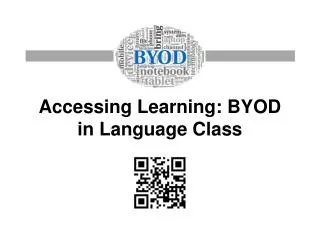
Accessing Learning: BYOD in Language Class Jane Curtis Roosevelt University, Chicago, IL jcurtis@roosevelt.edu Susanne McLaughlin Roosevelt University, Chicago, IL smclaugh@roosevelt.edu
Agenda Background Rationale Definition Challenges Successes Final Thoughts Questions
Background • From a Ban on Digital Devices • Distraction • Disruption • Academic Integrity • Reliance on the Device, Not English • To . . .
Information Sharing Student Student Teacher Student Student
Rationale • A New Type of Learner (Rainie, 2011) • More self-reliant • Better able to capture new information • Better able to incorporate feedback • More likely to collaborate
Rationale • Digital Learners’ Behavior (Rainie, 2011) • Engagement in the classroom • Collaboration with classmates • Effective communication with instructor • Problem-solving with new skills
Definition • Narrow (Hockly, 2012) • Institutional policy • Reliance on students’ own technology • Support and infrastructure • Broad (McLaughlin & Curtis, 2014) • Use of students’ and teacher’s own technology • Enhance learning and instruction • Ad hoc activities > course design
Challenges • Multiple Devices • Access • Bandwidth • Missing Devices and/or Accessories • Time • Technology Issues • Lesson Planning • Class Time
Challenges • Classroom Management • Devices • Routine • School Administration • Money • Techs vs. Classroom Teachers • The “Workflow” Issue
Successes • Ad Hoc Activity • One-Day Planned Activity • Recurring Activity • A Planned Unit • A Course “Experiment”
Successes Intermediate PSA Video Project • Students watch sample PSAs • Students find and email a PSA • Students watch group PSAs and select a favorite • Students watch PSAs from previous term • Students brainstorm ideas for their own PSA • Students plan and prepare their PSA • Students submit their PSA
Successes Advanced Grammar iPad “Experiment” • Students agree to go as paperless as possible • Paper handouts converted to write-on PDFs • Polling for comprehension checks and full-group discussion • Blackboard “tests”for comprehension checks, plus small group and individual discussion
Final Thoughts • Be flexible — there will be glitches • It takes time — you’ll be surprised • Make it a routine — in class and in prep • Make your tech support listen — don’t take no for an answer • Let students lead occasionally — it’s part of the engagement • Just remember — It’s totally worth it