Download
1 / 8
0 likes | 1 Views
Visualpathu2019s Power Apps Power Automate Training is designed to help you build intelligent applications and automate workflows efficiently. Gain real-world experience through instructor-led sessions and hands-on projects. This PowerApps and Power Automate Training supports career growth across industries. Call 91-7032290546 to book your free live demo session today.<br>Visit: https://www.visualpath.in/microsoft-powerapps-training.html<br>WhatsApp: https://wa.me/c/917032290546<br>Visit Our Blog: https://visualpathblogs.com/category/powerapps-powerautomate/<br>

E N D
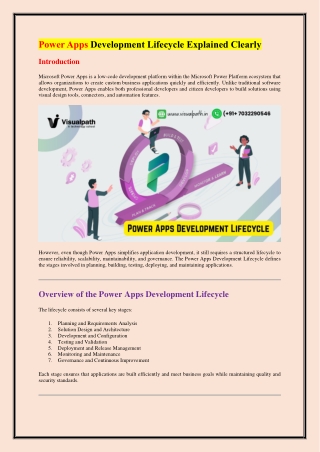
Power Apps Development Lifecycle Explained Clearly Introduction Microsoft Power Apps is a low-code development platform within the Microsoft Power Platform ecosystem that allows organizations to create custom business applications quickly and efficiently. Unlike traditional software development, Power Apps enables both professional developers and citizen developers to build solutions using visual design tools, connectors, and automation features. However, even though Power Apps simplifies application development, it still requires a structured lifecycle to ensure reliability, scalability, maintainability, and governance. The Power Apps Development Lifecycle defines the stages involved in planning, building, testing, deploying, and maintaining applications. Overview of the Power Apps Development Lifecycle The lifecycle consists of several key stages: 1.Planning and Requirements Analysis 2.Solution Design and Architecture 3.Development and Configuration 4.Testing and Validation 5.Deployment and Release Management 6.Monitoring and Maintenance 7.Governance and Continuous Improvement Each stage ensures that applications are built efficiently and meet business goals while maintaining quality and security standards.
1. Planning and Requirements Analysis The lifecycle begins with understanding business needs. Proper planning ensures the application solves the right problem and aligns with organizational objectives. Key Activities Identifying business challenges Defining application scope Gathering functional and non-functional requirements Stakeholder analysis Determining data sources and integrations Important Considerations Business Process Mapping Teams should document current workflows and identify inefficiencies. This helps determine whether automation or a custom app is the best solution. User Personas Understanding who will use the application helps determine interface design and features. Power Apps often targets business users who require intuitive interfaces. Platform Selection Choosing between: Canvas Apps (UI-focused, flexible layout) Model-driven Apps (data-focused applications) Power Pages (external-facing apps) Selecting the correct type is critical for long-term success. 2. Solution Design and Architecture Once requirements are defined, the next step is designing the solution architecture. Components of Architecture Data sources (Dataverse, SharePoint, SQL Server, APIs) Connectors Security roles Environment strategy Integration with Power Automate or Power BI Data Modeling If using Microsoft Dataverse, developers must:
Define tables (entities) Relationships Business rules Data validation User Experience Design Even though Power Apps is low-code, good UX design is essential: Responsive layouts Accessibility considerations Logical navigation flow Environment Strategy Organizations typically use multiple environments: Development Testing Production This separation prevents unstable features from impacting end users. 3. Development and Configuration This stage involves building the actual application. Building Canvas Apps Drag-and-drop controls Power Fx formulas Integration with data connectors Responsive layouts Building Model-driven Apps Defining forms and views Configuring business processes Customizing dashboards Power FX Power FX is the formula language used in Power Apps. Developers use it to: Handle logic Validate input Control navigation Perform calculations Reusable Components
Using components improves maintainability: Shared controls Consistent design Reusable business logic 4. Testing and Validation Testing ensures that the application performs correctly and meets user expectations. Types of Testing Functional Testing Verifies whether all features work as intended. Integration Testing Ensures connections with external services and APIs function correctly. User Acceptance Testing (UAT) Business users validate that the app meets real-world needs. Performance Testing Tests loading speed, responsiveness, and scalability. Best Practices Test with realistic data. Validate security permissions. Check mobile responsiveness. Ensure offline functionality if needed. 5. Deployment and Release Management Deployment involves moving applications from development environments to production. Solution Packaging Power Apps uses solutions to package: Apps Flows Tables Custom connectors Solutions enable controlled deployment and versioning.
Managed vs Unmanaged Solutions Unmanaged Solutions: Used during development. Managed Solutions: Used for production deployment. Deployment Methods Manual export/import Automated pipelines (DevOps) Using automation reduces errors and improves consistency. 6. Monitoring and Maintenance After deployment, ongoing monitoring ensures stability. Monitoring Tools Power Platform Admin Center Analytics dashboards Usage metrics Maintenance Activities Bug fixes Performance optimization Feature updates Security updates User Feedback Continuous feedback from users helps improve functionality. 7. Governance and Continuous Improvement Governance ensures secure and scalable use of Power Apps. Governance Elements Data loss prevention (DLP) policies Environment management Licensing compliance Security role management Center of Excellence (CoE) Many organizations implement a Power Platform Center of Excellence to:
Establish standards Monitor usage Provide training Maintain best practices DevOps Integration with Power Apps Modern development teams integrate DevOps practices. Benefits Automated testing Continuous integration (CI) Continuous deployment (CD) Version control Tools like Azure DevOps or GitHub can automate solution deployment pipelines. ALM (Application Lifecycle Management) in Power Apps ALM defines structured management of app lifecycle stages. ALM Practices Source control Versioning Environment promotion Automated deployment Microsoft provides tools such as: Power Platform Build Tools Solution Checker Pipeline automation Security Considerations Security is crucial in enterprise applications. Key Security Layers Authentication via Azure Active Directory Role-based access control Data-level security API permissions
Following least privilege principles ensures minimal risk. Best Practices for Power Apps Development Lifecycle 1.Start with clear requirements. 2.Choose the correct app type early. 3.Use solutions for lifecycle management. 4.Separate environments. 5.Automate deployments where possible. 6.Maintain governance policies. 7.Optimize performance regularly. 8.Document architecture and processes. Common Challenges and Solutions Challenge: Performance Issues Solution: Optimize data queries. Reduce unnecessary controls. Use delegation in Power Fx. Challenge: Poor Governance Solution: Establish naming conventions. Implement environment strategies. Define security roles early. Challenge: Rapid Citizen Development Risks Solution: Provide training. Use approval workflows. Implement DLP policies. Future Trends in Power Apps Lifecycle The Power Apps ecosystem continues to evolve with: AI-powered app creation (Copilot) Enhanced integration with Microsoft 365 Improved DevOps automation Low-code governance tools
Organizations adopting structured lifecycle practices will benefit from faster innovation while maintaining control. Power Apps Development Lifecycle – Best FAQs General Lifecycle Questions 1. What is the Power Apps Development Lifecycle? It is the structured process used to plan, design, build, test, deploy, and maintain Power Apps solutions. It ensures applications are scalable, secure, and aligned with business requirements. 2. Why is a lifecycle important in Power Apps development? A defined lifecycle improves quality, governance, collaboration, and long-term maintainability. It also reduces deployment risks and ensures consistent development practices. 3. Is Power Apps lifecycle similar to traditional software development lifecycle (SDLC)? Yes, but it is adapted for low-code environments with emphasis on environments, solutions, and automation. It simplifies development while maintaining structured processes. 4. What are the main stages of the Power Apps lifecycle? Planning, design, development, testing, deployment, monitoring, and governance. Each stage helps ensure reliable and scalable app delivery. 5. Who is involved in the lifecycle process? Business stakeholders, citizen developers, professional developers, administrators, testers, and end users collaborate throughout the lifecycle. Conclusion The Power Apps Development Lifecycle provides a structured framework for building and maintaining low-code applications effectively. While Power Apps simplifies development, success still depends on disciplined planning, strong architecture design, thorough testing, controlled deployment, and ongoing governance. By following lifecycle best practices and incorporating DevOps principles, organizations can deliver scalable, secure, and maintainable applications that empower business users and accelerate digital transformation. Visualpath is a leading online training provider delivering expert-led courses in Cloud, DevOps, PowerApps, and AI technologies. With real-time projects and hands-on learning, Visualpath helps professionals build job-ready skills worldwide. Visit: https://www.visualpath.in/microsoft-powerapps-training.html Contact Call/WhatsApp: +91-7032290546