Download
1 / 6
0 likes | 0 Views
Enhance your CRM skills with Visualpathu2019s MS Dynamics CRM Training in Hyderabad, designed for real-world application. Learn CRM modules with live projects, expert mentoring, and flexible schedules. Our MS Dynamics CRM Training helps professionals gain confidence and industry-relevant expertise. Call 91-7032290546 to book your free live demo session today.<br>Visit: https://www.visualpath.in/online-microsoft-dynamics-crm.html<br>WhatsApp: https://wa.me/c/917032290546<br>Visit Our Blog: https://visualpathblogs.com/category/microsoft-dynamics-crm-with-powerapps/

E N D
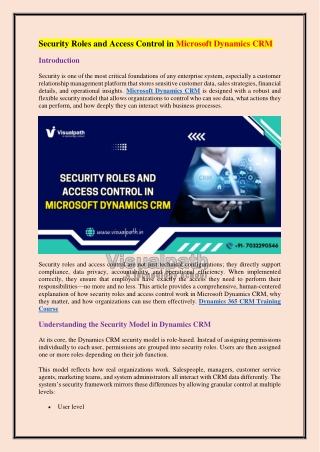
Security Roles and Access Control in Microsoft Dynamics CRM Introduction Security is one of the most critical foundations of any enterprise system, especially a customer relationship management platform that stores sensitive customer data, sales strategies, financial details, and operational insights. Microsoft Dynamics CRM is designed with a robust and flexible security model that allows organizations to control who can see data, what actions they can perform, and how deeply they can interact with business processes. Security roles and access control are not just technical configurations; they directly support compliance, data privacy, accountability, and operational efficiency. When implemented correctly, they ensure that employees have exactly the access they need to perform their responsibilities—no more and no less. This article provides a comprehensive, human-centered explanation of how security roles and access control work in Microsoft Dynamics CRM, why they matter, and how organizations can use them effectively. Dynamics 365 CRM Training Course Understanding the Security Model in Dynamics CRM At its core, the Dynamics CRM security model is role-based. Instead of assigning permissions individually to each user, permissions are grouped into security roles. Users are then assigned one or more roles depending on their job function. This model reflects how real organizations work. Salespeople, managers, customer service agents, marketing teams, and system administrators all interact with CRM data differently. The system’s security framework mirrors these differences by allowing granular control at multiple levels: User level
Business unit level Record level Field and entity level This layered approach ensures that security is both flexible and scalable as the organization grows. What Are Security Roles? A security role is a collection of privileges that define what a user can do in the system. These privileges determine: Which records a user can view Which records they can create, edit, or delete Whether they can share data with others Whether they can customize the system or access administrative features Each role is designed to support a specific job responsibility. For example, a sales representative role typically allows access to leads, opportunities, and accounts, while restricting access to system configuration or financial reporting. Types of Security Roles Core (Out-of-the-Box) Security Roles Dynamics CRM includes several predefined roles that cover common business functions. These roles serve as a starting point and can be used as-is or customized. Common examples include: Dynamics 365 Online Training Course Salesperson Sales Manager Customer Service Representative Marketing Manager System Administrator System Customizer These roles reflect typical responsibilities and help organizations get started quickly without designing everything from scratch. Custom Security Roles Most organizations create custom security roles to match their unique structure and processes. Custom roles are often based on existing roles and then refined to meet specific requirements. For example, a company might create separate roles for inside sales, field sales, and regional sales managers, even though all belong to the sales function. Custom roles allow organizations to enforce internal policies and align CRM access with real-world responsibilities. Privileges and Access Levels
Privileges define what actions a user can perform on a specific entity, such as accounts, contacts, or cases. Each privilege is assigned an access level that controls how broadly the privilege applies. Access Levels Explained None– No access to the entity or action. User– Access only to records owned by the user. Business Unit– Access to records owned by users within the same business unit. Parent-Child Business Units–Access to records across the user’s business unit and its child units. Organization– Access to all records across the entire organization. This structure makes it possible to reflect organizational hierarchies accurately, especially in large enterprises with multiple departments or regions. Dynamics 365 CRM Course Business Units and Their Role in Security Business units are a foundational element of access control in Dynamics CRM. They represent the organizational structure of a company and are often aligned with departments, divisions, or geographic regions. Every user belongs to a business unit, and every record is owned by a user or team within a business unit. Security roles work in conjunction with business units to determine data visibility. For example, a regional sales team can be restricted to viewing customer data only within their region, while senior leadership can be granted organization-wide access. This design supports data segregation and minimizes the risk of unauthorized access. Record Ownership and Sharing Record Ownership Each record in Dynamics CRM has an owner, either a user or a team. Ownership directly affects who can access and modify the record. Typically, users have full control over records they own, depending on their role. Sharing Records In situations where collaboration is required, records can be shared with other users or teams. Sharing allows temporary or specific access without changing ownership. For example, a salesperson may share an opportunity with a pre-sales consultant for technical input. The consultant can view or edit the record as needed, while ownership remains unchanged. CRM Online Training Team-Based Security
Teams provide another layer of access control that supports collaboration. Instead of assigning permissions to individual users, organizations can assign roles to teams. There are two main types of teams: Owner Teams– Can own records and be assigned security roles. Access Teams– Do not own records but grant specific access rights to team members. Team-based security simplifies management in large organizations, reduces administrative overhead, and ensures consistent access for groups working together. Field-Level Security Not all data within a record should be visible to everyone who can access the record itself. Field-level security addresses this need. With field-level security, organizations can restrict access to sensitive fields such as: Salary information Credit limits Identification numbers Confidential notes Field security profiles define who can view, edit, or create data in specific fields. This ensures compliance with privacy regulations and internal policies while still allowing broader record access. Access Control for Custom Entities and Processes Dynamics CRM allows extensive customization, including custom entities, workflows, and business process flows. Security roles extend to these custom components as well. Administrators can control: Who can access custom entities Who can trigger workflows Who can modify or run business process flows This ensures that custom functionality aligns with organizational rules and does not introduce security gaps. Microsoft Dynamics 365 CRM Course Administrative and Customization Access Some roles grant elevated privileges that go beyond daily operational tasks. These include: Creating or modifying entities Changing forms and views Managing users and roles Configuring integrations
Such privileges are typically restricted to system administrators or power users. Limiting administrative access is a critical security best practice, as it reduces the risk of accidental changes or misuse. Best Practices for Managing Security Roles Align Roles with Job Functions Security roles should reflect actual responsibilities, not individual preferences. Designing rolls around job functions ensures consistency and simplifies onboarding and role management. Use Multiple Roles When Necessary Users can have more than one security role. This allows flexibility without creating overly complex roles. For example, a team leader might have both a salesperson role and a reporting role. Follow the Principle of Least Privilege Users should only have the access they need to perform their tasks. Granting excessive privileges increases the risk of data exposure and errors. MS Dynamics CRM Online Training Review and Audit Regularly Organizational needs change over time. Regularly reviewing security roles ensures they remain aligned with current processes, staffing, and compliance requirements. Security Roles and Compliance
Security roles play a key role in meeting regulatory and legal requirements. By controlling access to sensitive data and maintaining clear ownership and audit trails, organizations can demonstrate accountability and data protection. Well-defined access control supports compliance with data privacy standards, internal governance policies, and industry regulations. It also helps build trust with customers by ensuring their information is handled responsibly. Common Challenges and How to Avoid Them One common challenge is over-customization, where too many roles are created without clear documentation. This can make security management difficult and error-prone. Another issue is role creep, where users accumulate roles over time and gain more access than intended. Regular audits and role clean-up help prevent this. Dynamics 365 CRM Training Clear naming conventions, documentation, and governance processes are essential to maintaining an effective security model. Conclusion Security roles and access control in Microsoft Dynamics CRM form the backbone of a secure, efficient, and compliant system. By combining role-based permissions, business units, record ownership, and field-level security, the platform offers a powerful framework that reflects real- world organizational structures. When thoughtfully designed and carefully managed, security roles protect sensitive data, support collaboration, and empower users to do their jobs effectively. They are not merely technical settings but strategic tools that align technology with people, processes, and organizational values. Visualpath is a leading online training provider offering expert-led courses in Cloud, AI, DevOps, and enterprise technologies worldwide. With real-time projects and daily recorded sessions, Visualpath ensures hands-on learning for career growth. Contact Call/WhatsApp: +91-7032290546 Visit: https://www.visualpath.in/online-microsoft-dynamics-crm.html



![MB2-711 Questions PDF - Secret to Pass Microsoft MB2-711 Exam [You Need to Read This First]](https://cdn4.slideserve.com/8074323/microsoft-dt.jpg)