Enhancing Brand Awareness through Effective E-Mail Marketing Strategies
This guide delves into the crucial role of e-mail marketing in direct marketing strategies. It outlines various e-mail marketing tactics, including opt-in methods and the importance of personalization. By employing viral marketing techniques and effective e-mail capabilities, businesses can engage current customers and attract new ones. Key aspects such as the advantages and disadvantages of plain text versus HTML emails, along with common uses like newsletters and promotional messages, are discussed to help businesses maximize their e-mail marketing efforts.

Enhancing Brand Awareness through Effective E-Mail Marketing Strategies
E N D
Presentation Transcript
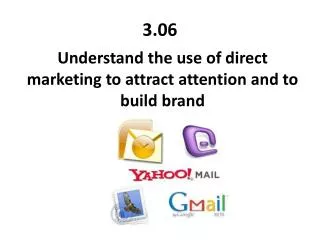
3.06 Understand the use of direct marketing to attract attention and to build brand
E-MAIL MARKETING SENDING PROMOTIONAL MESSAGES ACROSS COMPUTER NETWORKS Helps Businesses by: • Using VIRAL MARKETING • Forwarding a message to someone who forwards it to another, etc. • Information spreads quickly • Keeping current customers informed • Building brand awareness and brand image
4 TYPES OF EMAIL MARKETING • OPT-IN /PERMISSION-BASED • Give permission to receive promotional e-mails, newsletters, etc. • SUBSCRIPTIONS are most common • DOUBLE OPT-IN • Requires recipients to confirmthey are registered subscriber • Complete subscription process, then receive a verification email • OPT-OUT • Receive emails until indicate otherwise • Explanation at bottom of email of how to opt-out • SPAM • Junk e-mail
MOST COMMON USES OF EMAIL MARKETING • Announcements • Newsletters • Bulletins • Suggestion selling • Reminder service • Handling requests • Obtaining feedback • Order confirmations
CAPABILITIES OF EMAIL • NON-INTERACTIVE CONTENT (STATIC) • Cannot link to other locations within the e-mail • LINKS TO OTHER PLACES WITHIN EMAIL • Hyperlinks: link a word or graphic to another place within the e-mail • LINKS TO WEB SITES • Hyperlinks: link from email to a web site • ATTACHMENTS • STREAMING MEDIA • Email delivers sound and/or video • Media is “streaming”(moves in a continuous flow over the Internet) • DISADVANTAGES: • Expensive • REQUIRES RECIPIENT TO HAVE A HIGH-SPEED INTERNET CONNECTION
CAPABILITIES OF EMAIL • INDIVIDUALIZED ADDRESSES • Individual e-mail address in the “To” field • Helps businesses to personalize • Recipients feel that they’re the only ones receiving the e-mail • PERSONALIZATION • Personal information (name, purchasing history) in email • Software can do this easily • AUTOMATED • E-mail software can perform certain functions • Example: Send personalized e-mails to entire customer list at specified times • AUTORESPONDERS • If someone emails a specified e-mail address, autoresponder replies • Saves money and time • Example: Confirm orders and newsletter subscriptions
“You Do” Mrs. Howardwill give you an example of a marketing email You will individually answer the following: • Identify if it is Plain Text OR HTML • Does it engage in Viral Marketing? • There are 4 Types of Marketing Emails. What is the type of your example? • List all email capabilities you see in your example • Using your notes for “Common Uses”- identify the use of your example • What are the advantagesof your example? • What are the disadvantages of your example? • What objectives is the business trying to meet by using e-mail? • Is the e-mail promotion effective? Why or why not?
“You Do Together” With a partner, create a marketing email identifying the following: • Identify if it is Plain Text OR HTML • Does it engage in Viral Marketing? • There are 4 Types of Marketing Emails. What is the type of your example? • List all email capabilities you see in your example • Using your notes for “Common Uses”- identify the use of your example • What are the advantages of your example? • What are the disadvantages of your example? • What objectives is the business trying to meet by using e-mail?