Enhancing Control Systems: CSS Overview and Operator Interfaces
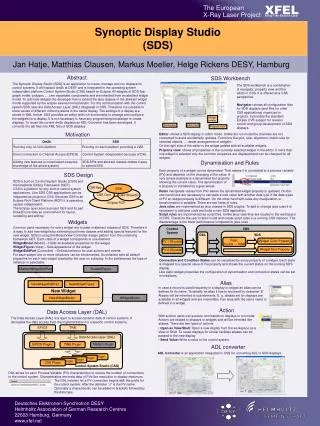
The Control System Studio (CSS) is an initiative focused on developing portable and integrated tools for control systems, beginning in 2006 as a collaboration between DESY and SNS. CSS aims to unify various disjoint tools into a cohesive platform supporting multiple operating systems like Windows, Linux, and OS X. Key features include a rich client platform, customizable plug-ins, an alarm system, and user-friendly operator interfaces. With tools like the Data Browser and BOY, operators can monitor, analyze, and interact with process variables (PVs), enhancing control system efficiency and response.

Enhancing Control Systems: CSS Overview and Operator Interfaces
E N D
Presentation Transcript
Control System Studio, CSSOverview Kay Kasemir ORNL/SNS kasemirk@ornl.gov April 2013
Original EPICS Operator Interfaces Many disjoint tools • Static layout • Inconsistent Look • Online help? • primarily for Linux/X11
No Integration between Tools • Note PV associated with Alarm • Start StripTool • Add PV to StripTool • Start Archive viewer • Add PV ..
CSS: A Collaboration • Goal:Portable, better integrated control system tools • Started 2006 between DESY and SNS • Joined by CLS, APS, BNL, ITER, KEK/J-PARC, … • http:// .net/apps/trac/cs-studio • Wiki, Mailing lists • Source code: https://github.com/ControlSystemStudio
CSS: Control System Architecture • Portable environment (Windows, Linux, OS X) • Free development tools • Plug-Ins, Extension points, Registry • Rich Client Platform (RCP): Windows, menus, help, preferences, online update, …
Assume this Beam Line GUI How many neutrons do we receive over time?
Right click on the neutron count… ‘Data Browser is listed as one of the tools that handle Process Variables…
Plotting… • Data Browser started • PV added • Starts showing samples over time • Can also query historic data, if available
CSS includes an alarm system. Operator notices an alarm… Accelerator Example: React to Alarm
Context menu of alarm… (“right click”) Example Work Flow: React to Alarm.
Inspect history of PV, annotate, … Example Work Flow: React to Alarm… 3 2 1
Finally: Make Logbook Entry After inspecting alarm PV history,post commented plotto E-Log!
CSS: Toolkit • Application Plug-Ins • Strip-Chart: Data Browser • OPI: BOY • Alarms: BEAST • Automation: Scan System • Utilities: Probe, Clock , PV Tree , Psychiatrist • Library Plug-Ins • Control system data types (PV, Sample, …), Life data access, Historic Data Access, Logbook , E-Mail, Authentication, Authorization, … • Extension Points • Life data: Channel Access, Simulated, Local PVs • Historic Data: XML-RPC, RDB, … • Authentication: Kerberos, LDAP, …
Basic CSS Tools Probe • Current value of a PV EPICS PV Tree • Trace PV links Both: • Resize • PV NameDrop-downhistory
Data Browser Plot ‘live’ and ‘archived’ data over time
Tabular or Tree view, voice annunciations, … Alarm System (BEAST) Select by Name, Description Acknowledge Sort by Time,Severity, …
BOY – Best OPI, Yet Operator Interface Editor Runtime • Select widget, enter PV name, done • No programming, no compilation, …
SNS Examples • Top-level displays created by operators Tim Southern, Nick Luciano
CSS PV Exchange • PV in anyCSS Tool Context Menu Select other PV Tools • Opens other tool with that PV
Integrated Help, Preferences • Uniform access to settings, searchable help • Applications • Support Libraries • Logging • Control System access
Thick Client vs. Web • CSS: Integrated, rich, portable Still: Needs to be installed on each user’s computer.. Accessible from phones, tablets, toasters? OK, nobody asked about the toaster, yet. But it’s getting there, see www.theonion.com
Web OPI (and Data Browser) CSS is Desktop app, will probably remain so, but *.opi files can be viewed online!
What is CSS? Integration ofvariouscontrol-system tools into aconsistent product Excellentforend-users! Based onhttp://buzzynews.com/wp-content/uploads/2008/01/steve-jobs-presente-le-mac-book-air-lordinateur-portable-le-plus-fin-du-monde.jpg