Mastering Regular Expressions in Python for NLP
Learn how to harness the power of regular expressions for advanced string manipulation in Python for Natural Language Processing. Explore search, replace, and split operations with syntax examples.

Mastering Regular Expressions in Python for NLP
E N D
Presentation Transcript
Python for NLP Regular Expressions CS1573: AI Application Development, Spring 2003 (modified from Steven Bird’s notes)
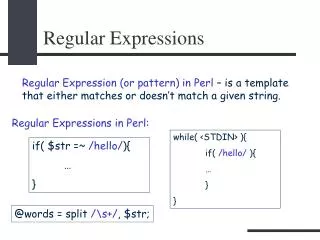
Regular Expressions • Regular expressions are a powerful string manipulation tool. • Use regular expressions to: • Search a string (search and match) • Replace parts of a string (sub) • Break stings into smaller pieces (split)
Regular Expression Python Syntax • Most characters match themselves. For example, the regular expression “test” matches the string ‘test’, and only that string. • [x] matches any one of a list of characters. For example, “[abc]” matches ‘a’,‘b’,or ‘c’. • [^x} matches any one character that is not included in x. For example, “[^abc]” matches any single character except‘a’,’b’,or ‘c’. • “.” matches any single character.
Regular Expressions Syntax (cont’d) • Parentheses can be used for grouping. For example, “(abc)+” matches ’abc’, ‘abcabc’, ‘abcabcabc’, etc. • x|y matches x or y. For example, “this|that” matches ‘this’ and ‘that’, but not ‘thisthat’.
Regular Expression Syntax (cont’d) • x* matches zero or more x’s. For example, “a*” matches ’’,’a’,’aa’,etc. • x+ matches one or more x’s. For example, “a+” matches ’a’,’aa’,’aaa’, etc. • x? matches zero or one x’s. For example, “a?” matches ’’ or ’a’ . • x{m, n} matches i x‘s, where m<i< n. For example, “a{2,3}” matches ’aa’ or ’aaa’
Regular Expression Syntax (cont’d) • “\d” matches any digit; “\D” matches any non-digit. • “\s” matches any whitespace character; “\S” matches any non-whitespace character • “\w” matches any alphanumeric character; “\W” matches any non-alphanumeric character. • “^” matches the beginning of the string; “$” matches the end of the string. • “\b” matches a word boundary; “\B” matches position that is not a word boundary.